
O&M personnel can quickly and easily perform operations such as information query and diversion configuration through web APIs.
If web APIs of ADS are to be used by the management platform, mutual authentication between the management platform and ADS must be performed first to ensure security. The procedure is as follows:
Step 1:Choose System > Local Settings > Management Mode > Add.
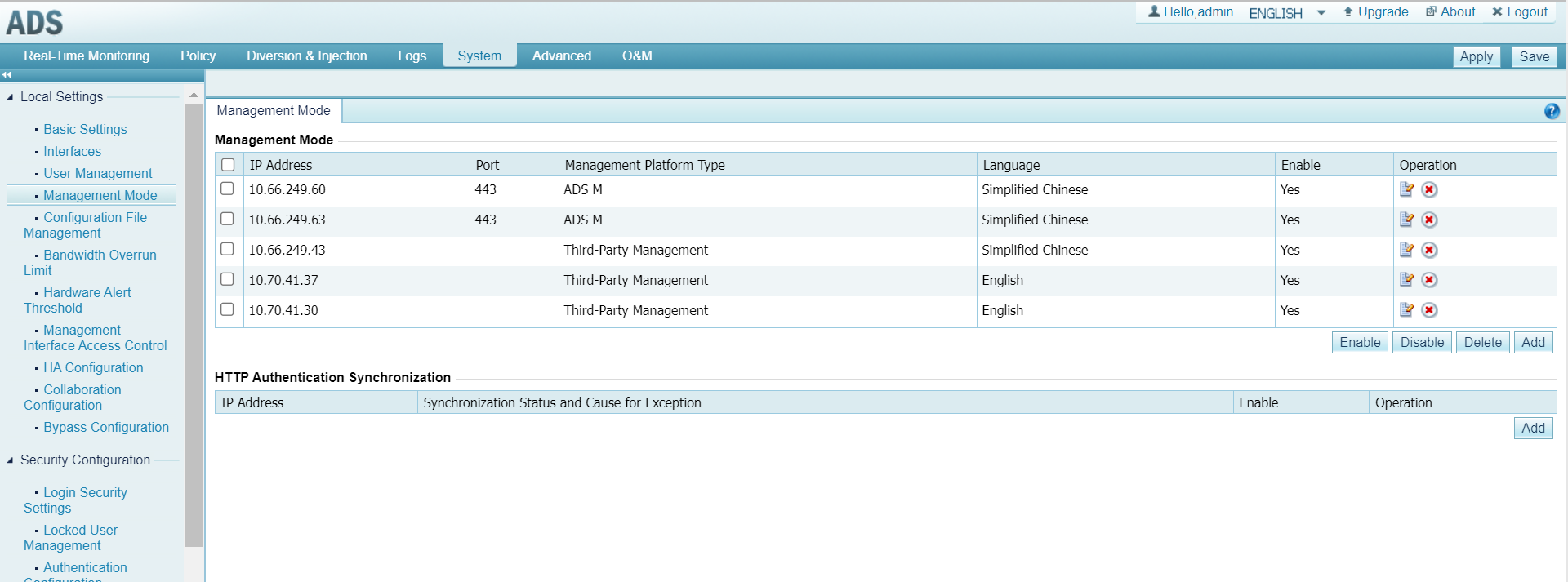
Step 2: On the displayed Add Mgmt Mode Config page, type the following information according to the actual situation.
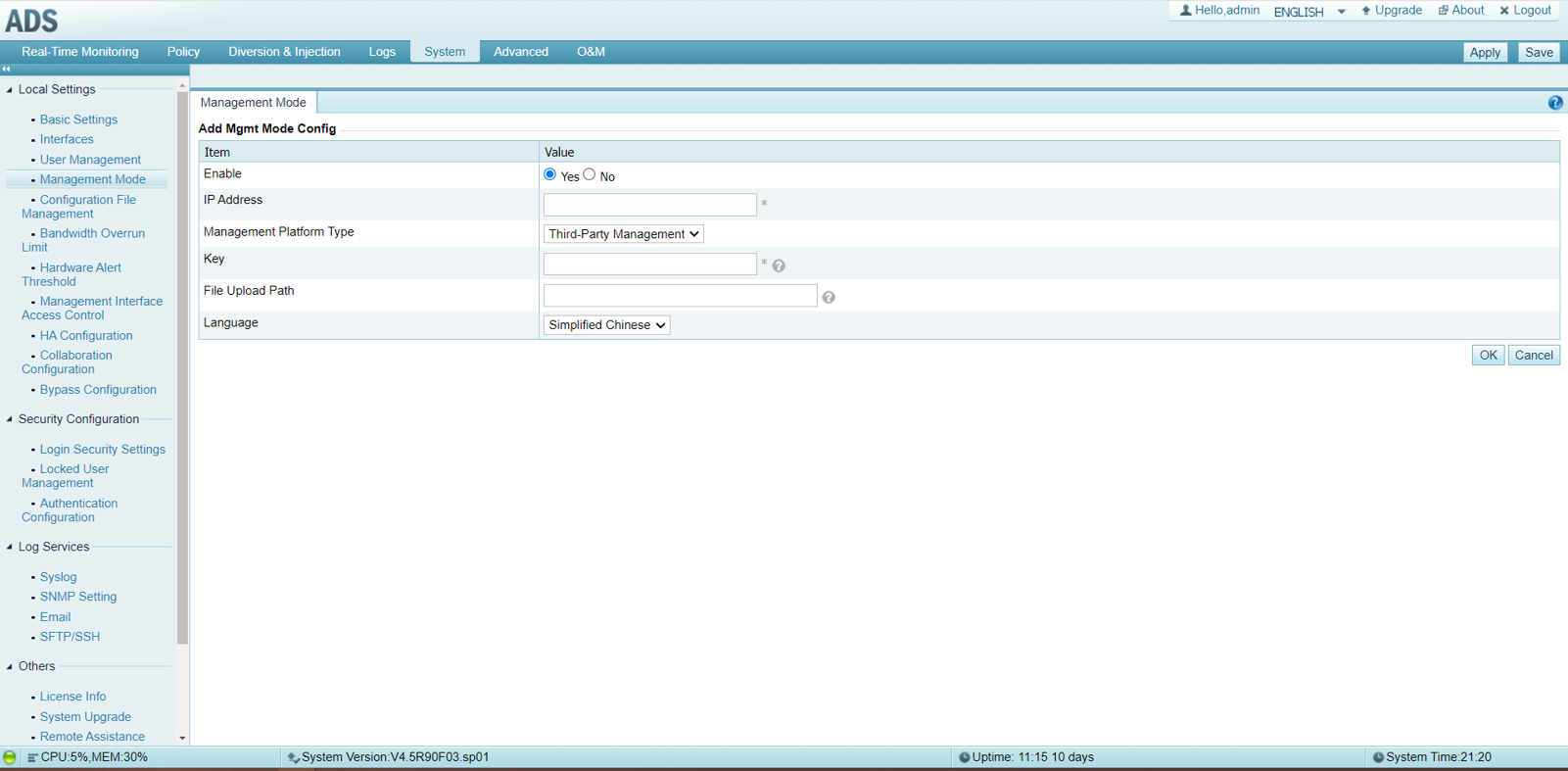
The description of parameters is as follows:
- IP Address: specifies the IP address of the client that intends to call a Web API, that is, ADS accepts the request for an API call only from this IP address.
- Key: specifies the authentication key for subsequent calls to a Web API.
- Management Platform Type: specifies a management platform type. Here, Third-Party Management should be selected.
Web API description
Choose System > Others > Web API File Download to download the web API description document. This document describes the interaction between the management device and ADS and details the data structure of corresponding request and response packets, as a reference for programmers and maintainers.


