Operation DarkCasino: In-Depth Analysis of Attacks by APT Group Evilnum (Part 1) Components Evilnum mainly used a new customized trojan in this operation. NSFOCUS Security Labs named it DarkMe based on the particular string in the trojan program. NSFOCUS Security Labs also discovered another new trojan program that had a...

Year: 2022
Operation DarkCasino: In-Depth Analysis of Attacks by APT Group Evilnum (Part 1)
Overview Recently, NSFOCUS Security Labs observed a series of phishing activities against European countries. Those activities mainly targeted online gambling platforms as well as active online trading behaviors, aiming to steal transaction credentials of service providers and customers for illegal profits. The in-depth analysis revealed that it was a continuation...
NSFOCUS Case Study on Protection Against Carpet-Bombing Attacks
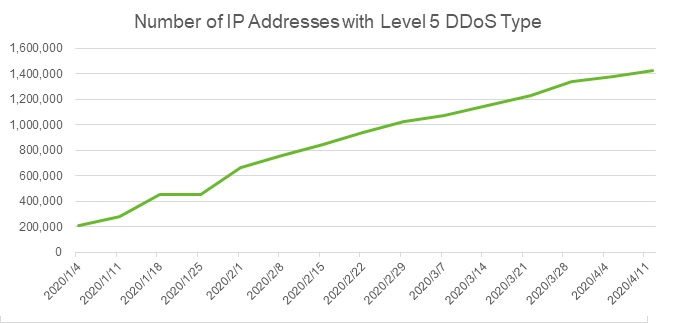
Introduction According to the H1 2022 NSFOCUS Global DDoS Attack Landscape report released on 6 Sept 2022, DDoS attacks made a surprising 205% increase compared with the first half of 2021. When it comes to the carpet-bombing attacks prevalent in recent years, more than 100,000 IP addresses on hundreds of...
Microsoft’s September security update for multiple high-risk product vulnerabilities
Overview On September 14, NSFOCUS CERT detected that Microsoft released the September security update patch, which fixed 63 security issues, involving widely used products such as Windows TCP/IP, .NET Framework, Windows Print Spooler Components, and Windows LDAP. Including high-risk vulnerability types such as privilege escalation and remote code execution. Among...
Configuring Collaboration Between NTA and ADS
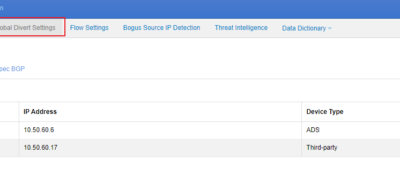
This document describes how to configure collaboration between ADS and NTA. NTA offers network monitoring and DDoS attack detection. If a DDoS attack is detected, NTA starts collaboration with ADS according to pre-defined rules to notify ADS. Then ADS starts the traffic diversion mechanism to divert suspicious traffic from the...
Viewing BGP Status of ADS and Troubleshooting
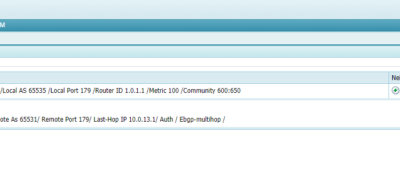
Viewing the BGP neighbor status of ADS Choose Diversion & Injection > Diversion Route > BGP Route. In the Route Daemon list, click the Neighbor Status button in the Operation column to view the status of a specified BGP route, as shown in the screenshot below. The displayed page shows...