This document describes how to configure collaboration between ADS and NTA. NTA offers network monitoring and DDoS attack detection. If a DDoS attack is detected, NTA starts collaboration with ADS according to pre-defined rules to notify ADS. Then ADS starts the traffic diversion mechanism to divert suspicious traffic from the router or switch to ADS. After filtering DDoS attack traffic, ADS reinjects “clean†traffic into the network.
Collaboration Configuration
1. Configuration on NTA
- Choose Configuration > Global Divert Settings > Protection Device Configuration, and click Add.

- Configure ADS as follows and then click OK.
- Device Type: select ADS.
- Device Name: type the name of ADS to be collaborated with.
- IP Address: type the IP address of ADS to be collaborated with.

2. Configuration on ADS
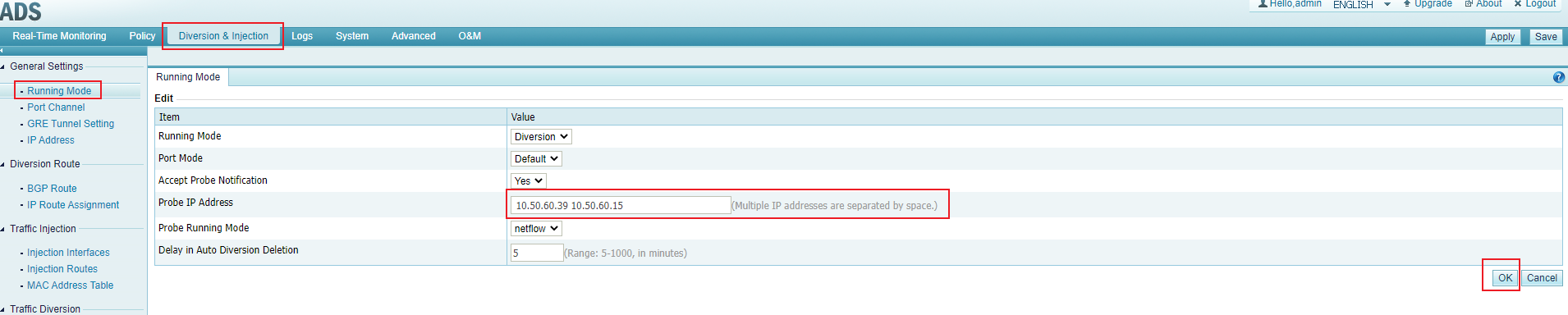
- Choose Diversion & Injection > Running Mode, set the IP address of NTA to collaborate as the probe IP address, and then click OK.
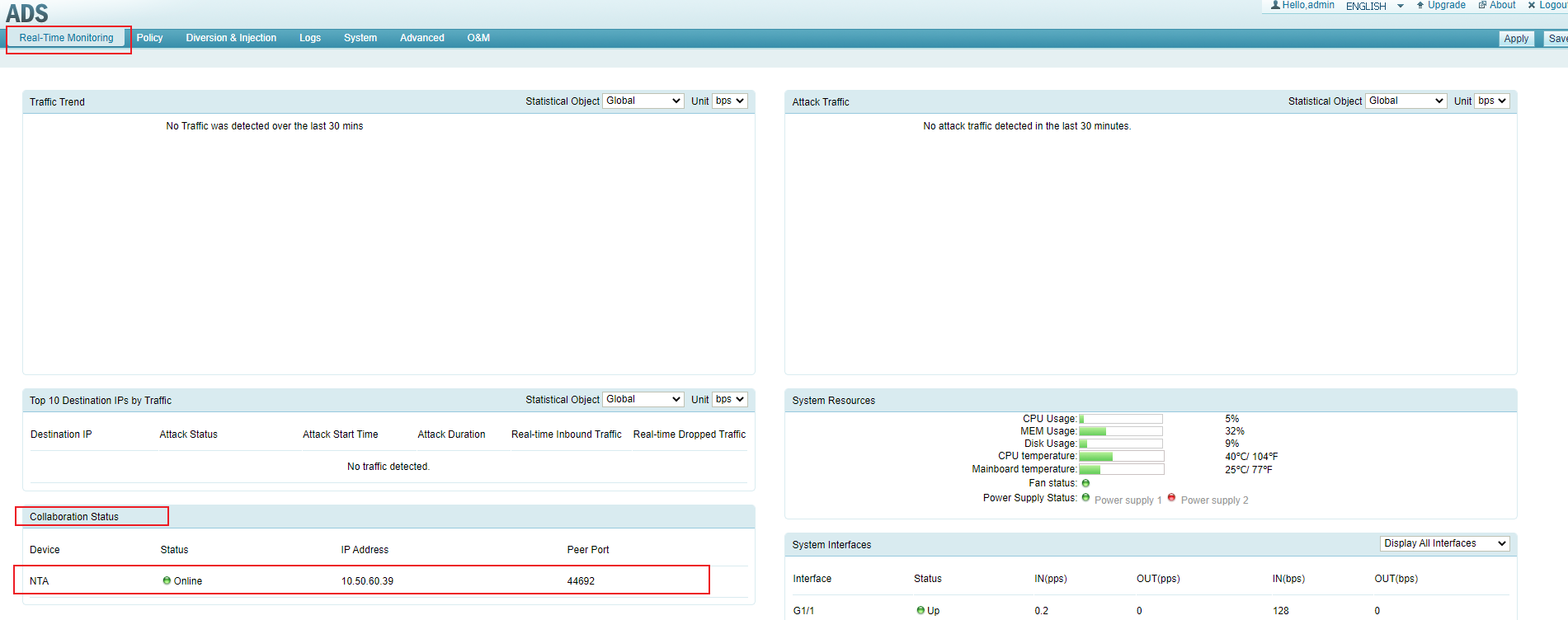
- After the configuration is complete, choose Real-Time Monitoring > Collaboration Status to view NTA status. If the Status is green, it indicates that the configuration is successful.