Checking the ISOP version
Method 1
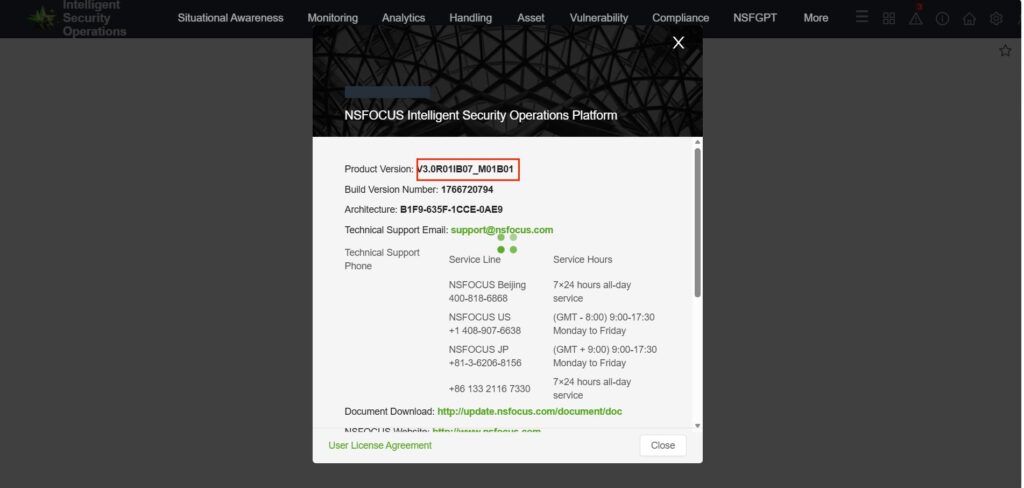
Switch to the security management platform, click the exclamation mark in the upper-right corner, the version is V3.0R01.

Method 2
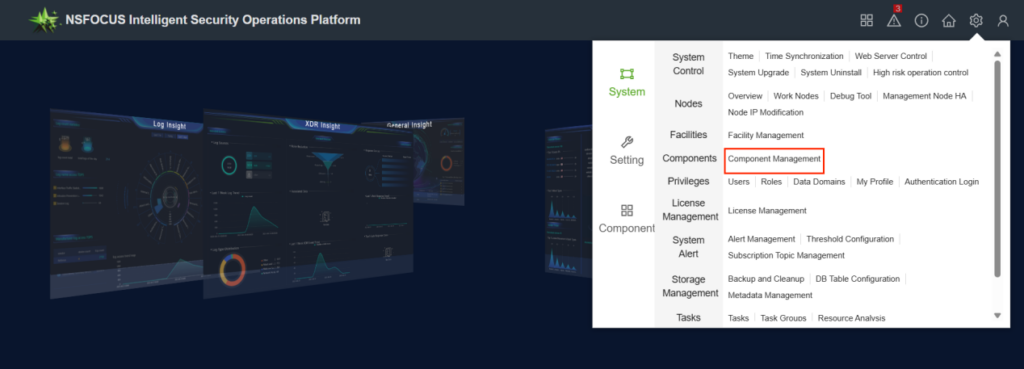
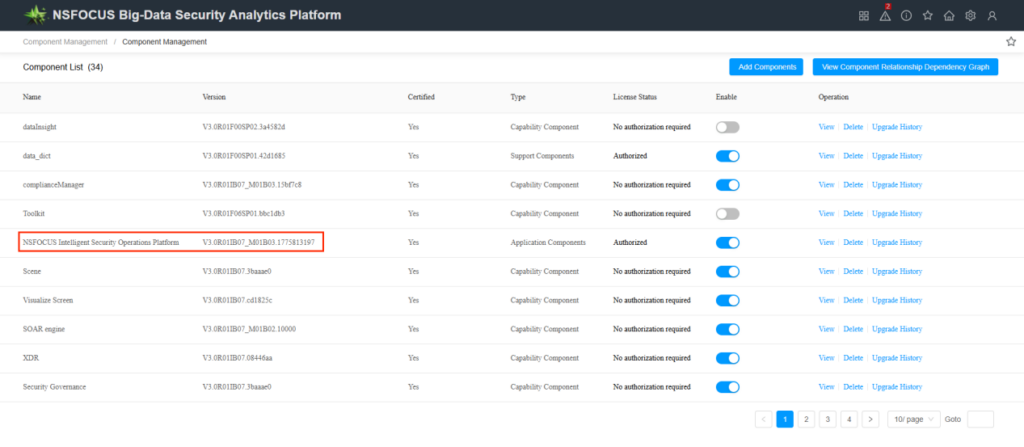
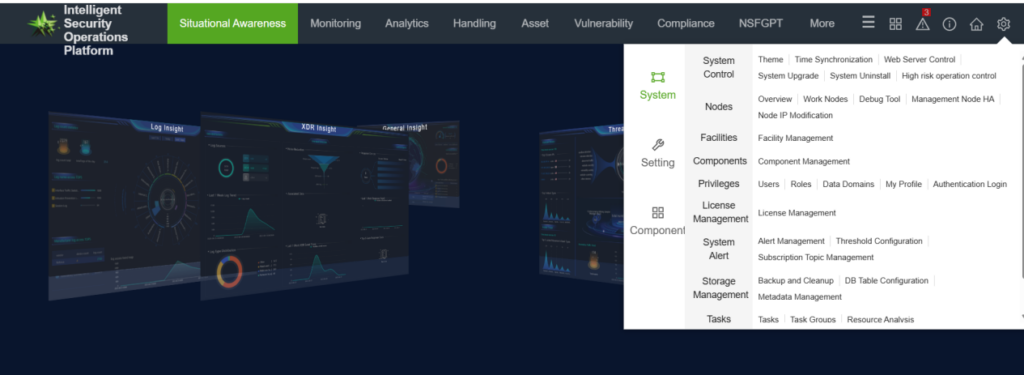
In the upper-right corner, click the small gear icon [System—Component Management] to view the version of the Security Operations Management Platform.
Checking the BSA version
Method 1
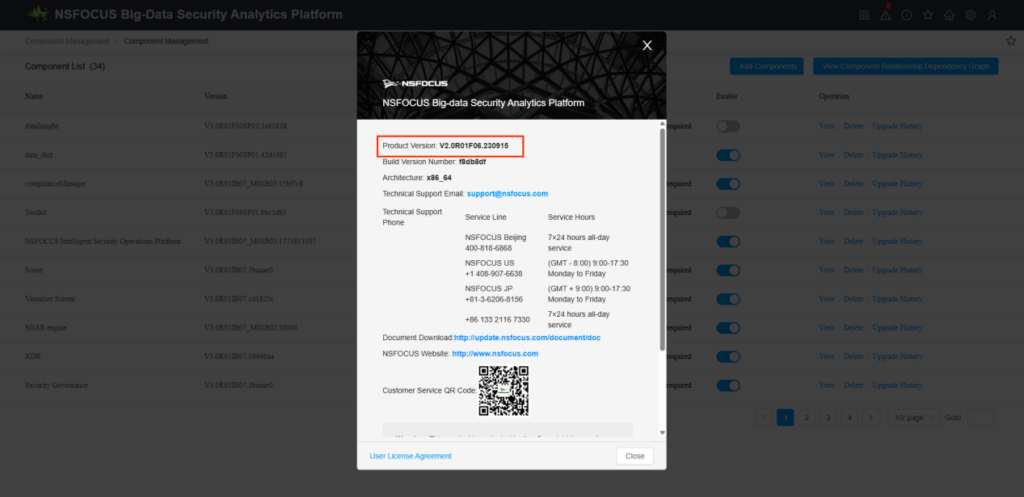
In the menu within the small gear in the upper-right corner, select any one option. After entering the interface, tap the small exclamation mark in the upper-right corner.
Method 2
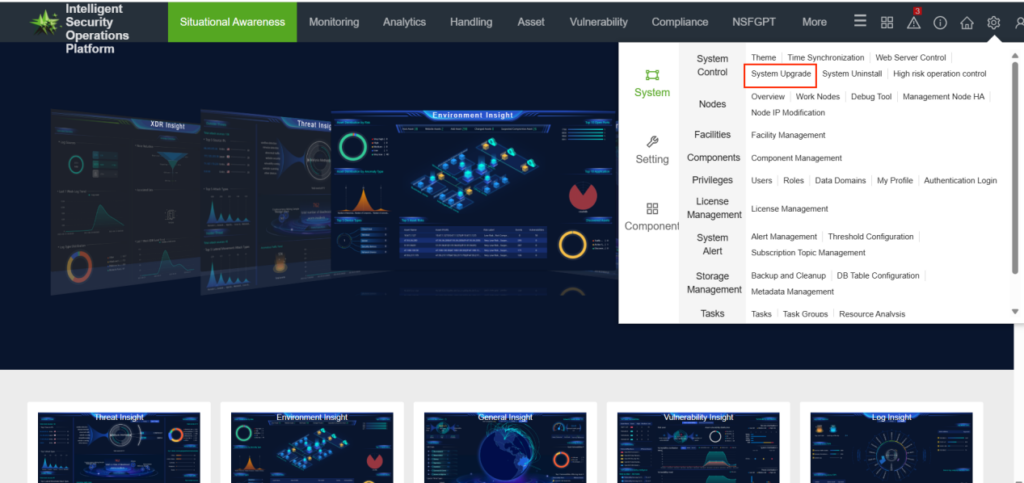
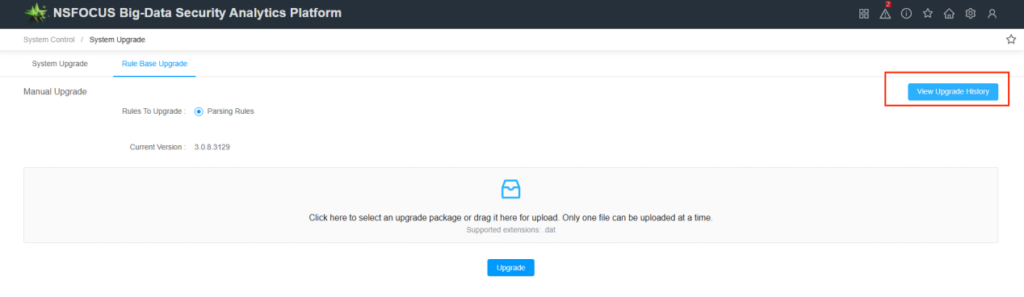
Click top-right gear icon [System Upgrade—View Upgrade History]