

On December 9, NSFOCUS monitored the disclosure of the Apache Log4j2 remote code execution vulnerability (CVE-2021-44228) on the Internet. Apache Log4j2 is an open source Java logging framework, which is widely used in middleware, development frameworks and web applications to record log information. The vulnerability PoC has been made public on the Internet and can be exploited in the default configuration. The vulnerability has a wide range of impacts.
To solve the customer’s potential web security risks as soon as possible, the NSFOCUS emergency response team extracted the attack payload, and the WAF offensive and defensive team formulated corresponding protection rules for the payload characteristics. At 2:48 A.M. on December 10 (China Standard Time), the NSFOCUS WAF team released effective protection rules officially. Proved by users who applied the rules immediately, NSFOCUS WAF can effectively intercept activities targeting the Log4j2 vulnerability.
On December 12, vulnerability exploitation to bypass the rules appeared. The WAF and SOC team updated the protection rules instantly and blocked another wave of threats from the network. For users who are using NSFOCUS WAF, there are 3 steps to mitigate the risk of Log4j2 vulnerabilities.
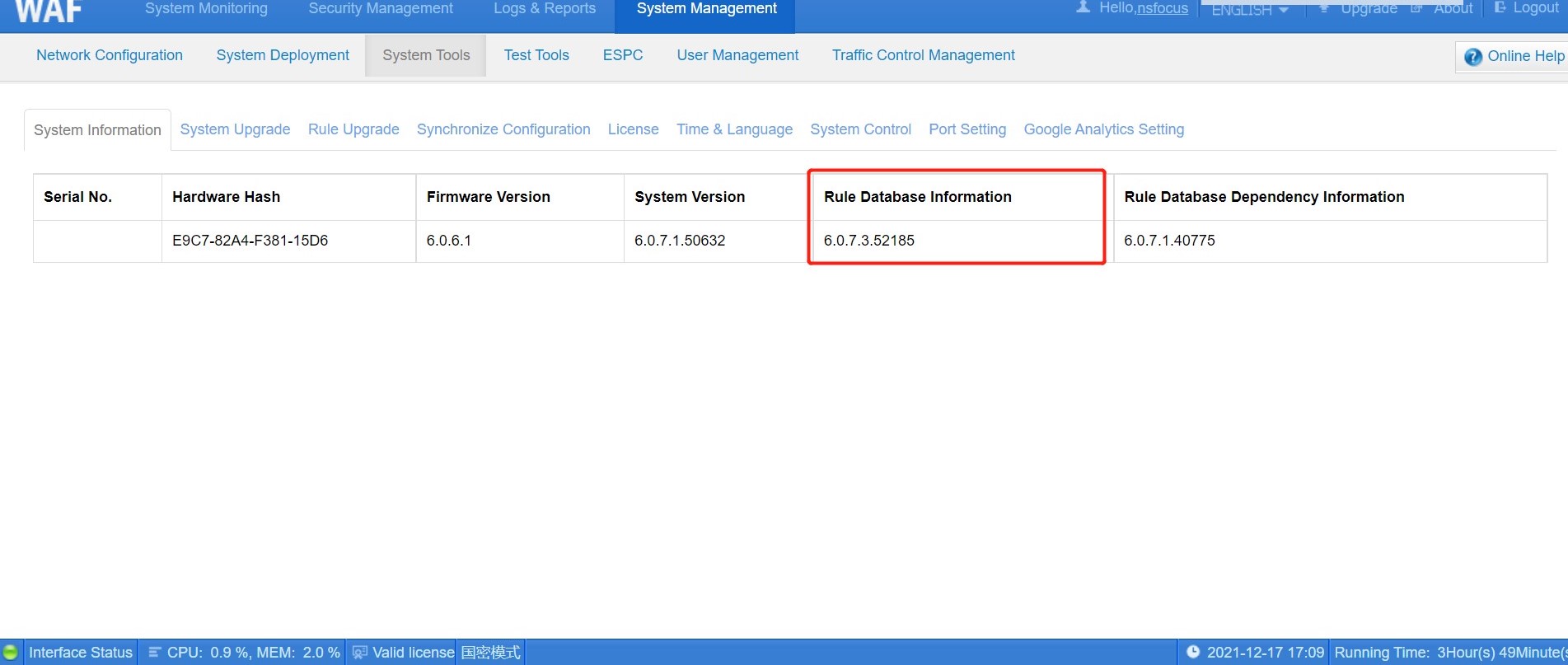
Step1: Update the rule base to the latest version (6.0.7.3.52185)
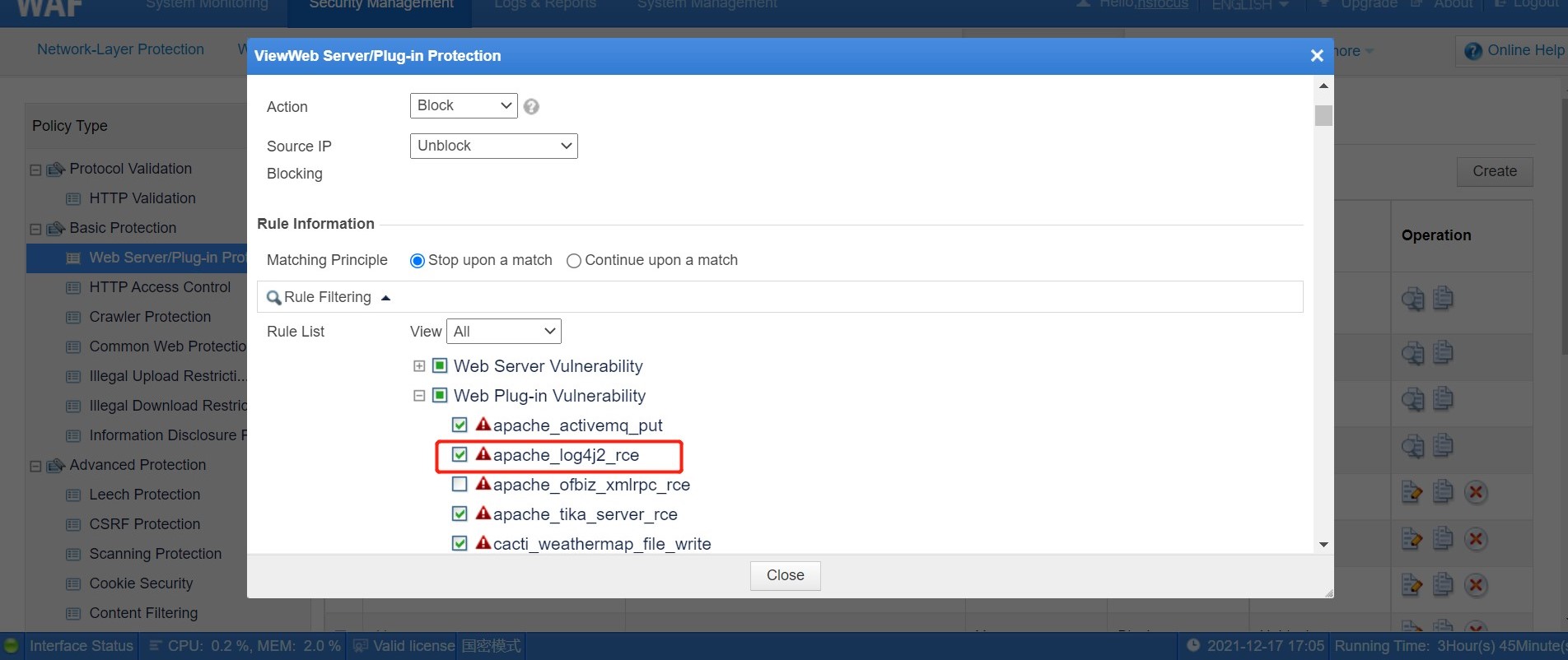
Step2: Enter Security Management>Policy Management>Web Server/Plug-in Protection and tick the Log4j2 rule in the plug-in vulnerability rule.
Step3: Enter Security Management>Website Protection>Policy Configuration, select the Web Server/Plug-in Protection rules configured just now, and save the configuration.


