
NTA allows users to import and export configuration files so as to meet users’ requirements for quick configuration restoration and local configuration file backup.
To import a configuration file, perform the following steps:
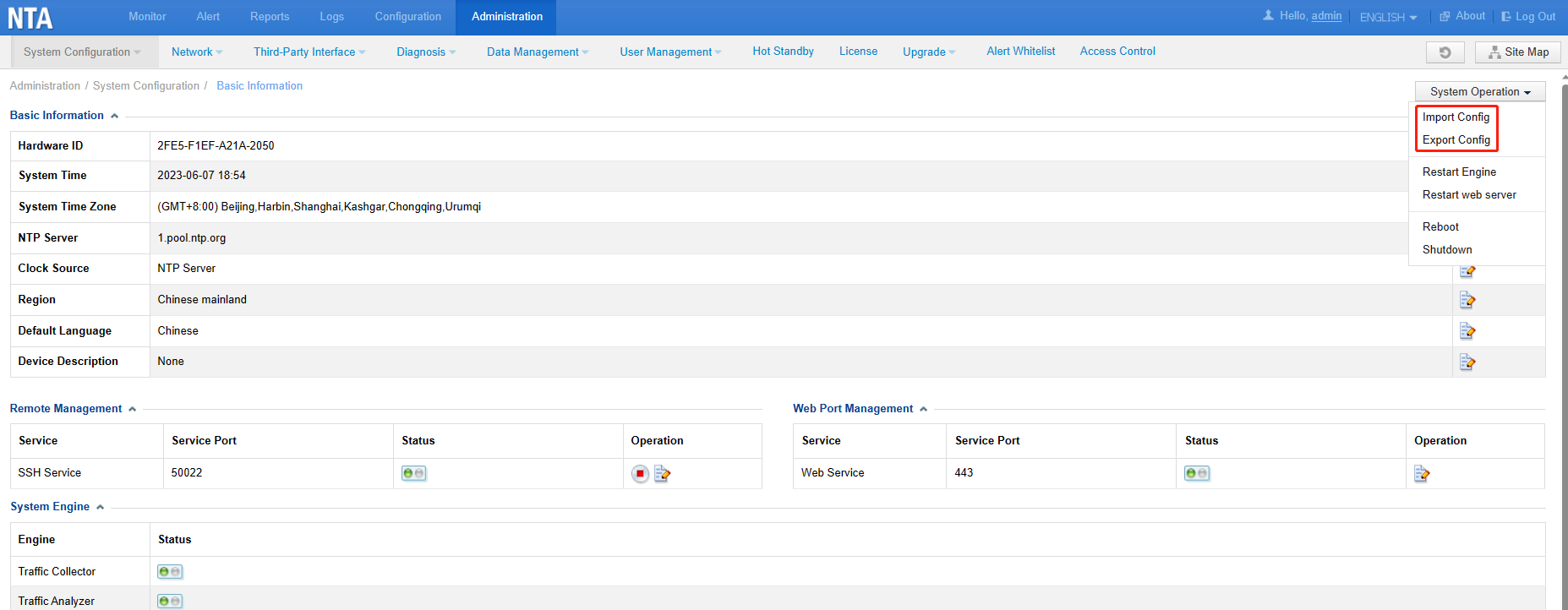
Choose Administration > System Configuration > Basic Information > Import Config.
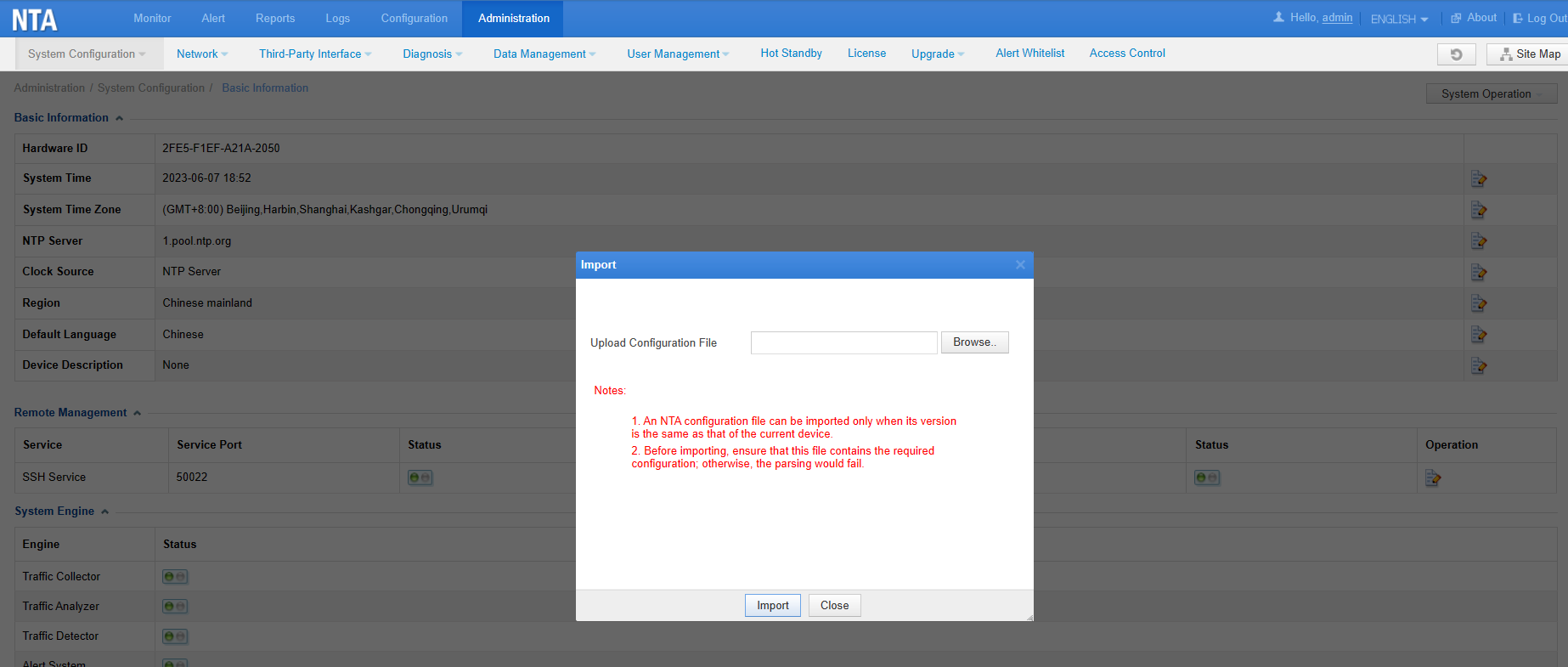
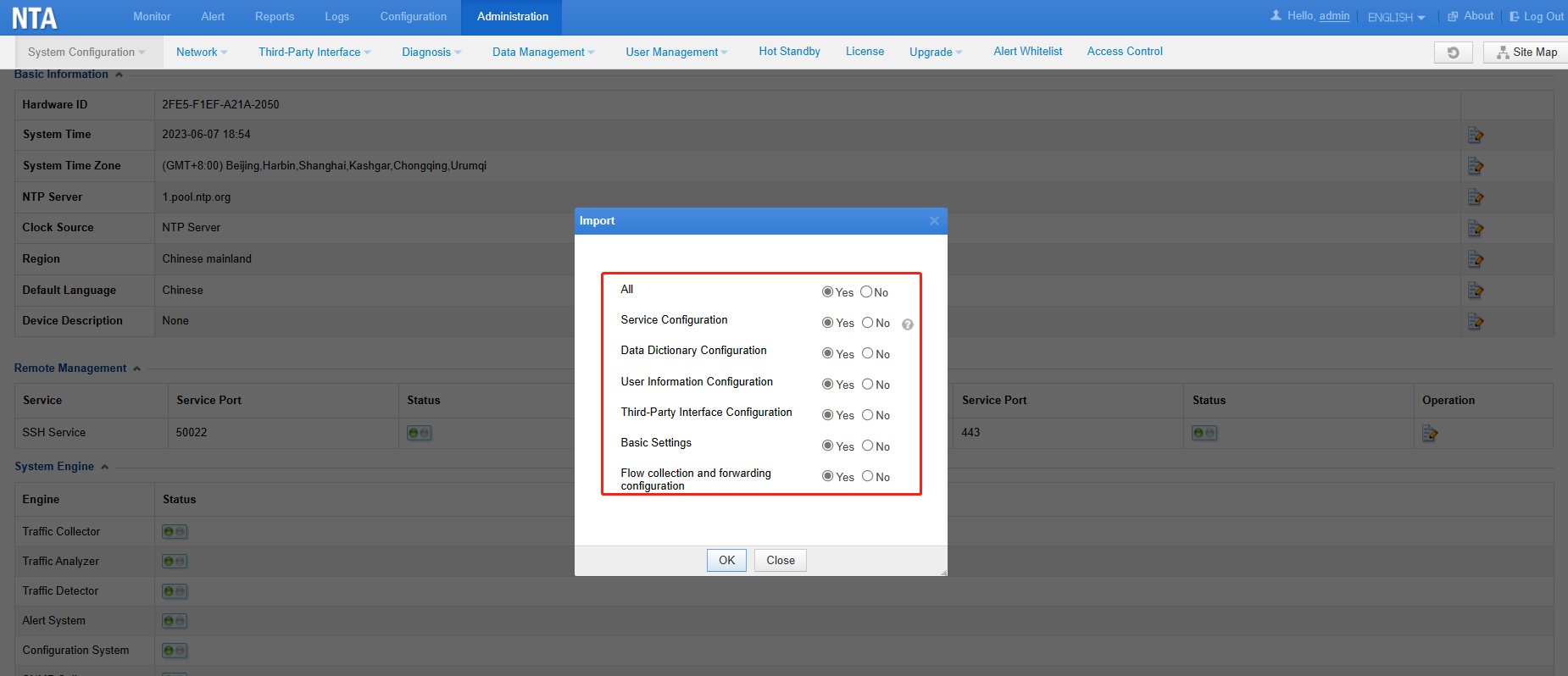
Select a configuration file to be imported and select desired items.
Notes:
- An NTA configuration file can be imported only when its version is the same as the current device’s. However, when importing configuration files, NTA before V4.5R90F03 fails to validate the versions of the exported configuration files. As a result, a configuration file with its version different from that of the current device could also be imported into the device, which might cause webpage or engine exceptions.
For example, when the configuration file A exported from NTA V4.5R90F01 is imported into NTA V4.5R90F02, some parameters in the configuration file may not adapt to NTA V4.5R90F02, resulting in webpage errors and engine exceptions.
The version of the configuration file can be successfully validated only when both the device version and the version of the exported configuration file are V4.5R90F03 and later.
For example:
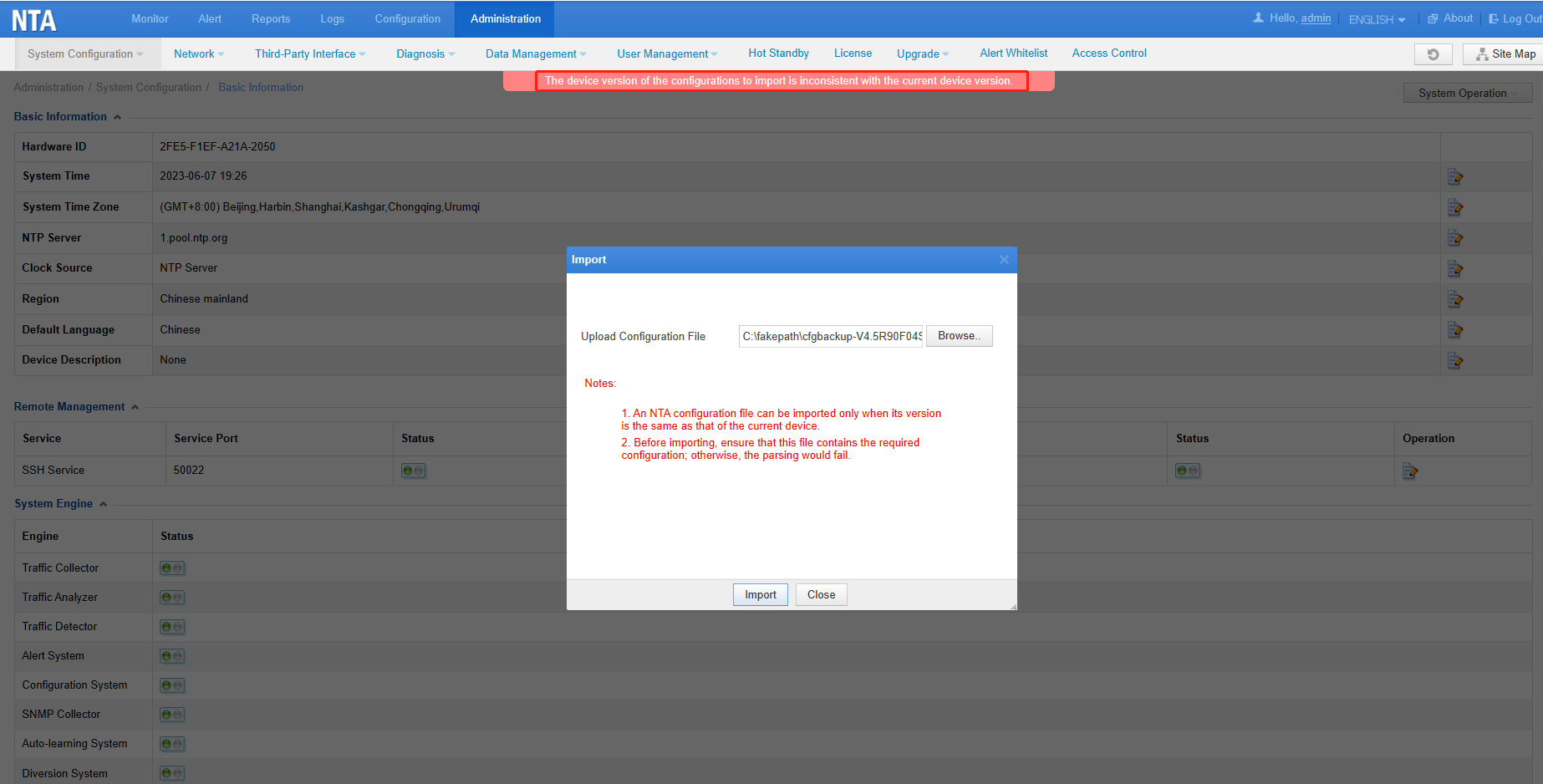
A. If a configuration file exported from NTA V4.5R90F04SP02 is imported into NTA V4.5R90F03SP02, the system will report the error “The device version of the configurations to import is inconsistent with the current device version.”
B. A configuration file exported from NTA V4.5R90F02 can be imported into NTA V4.5R90F03SP02. However, this may cause the engine to run improperly.
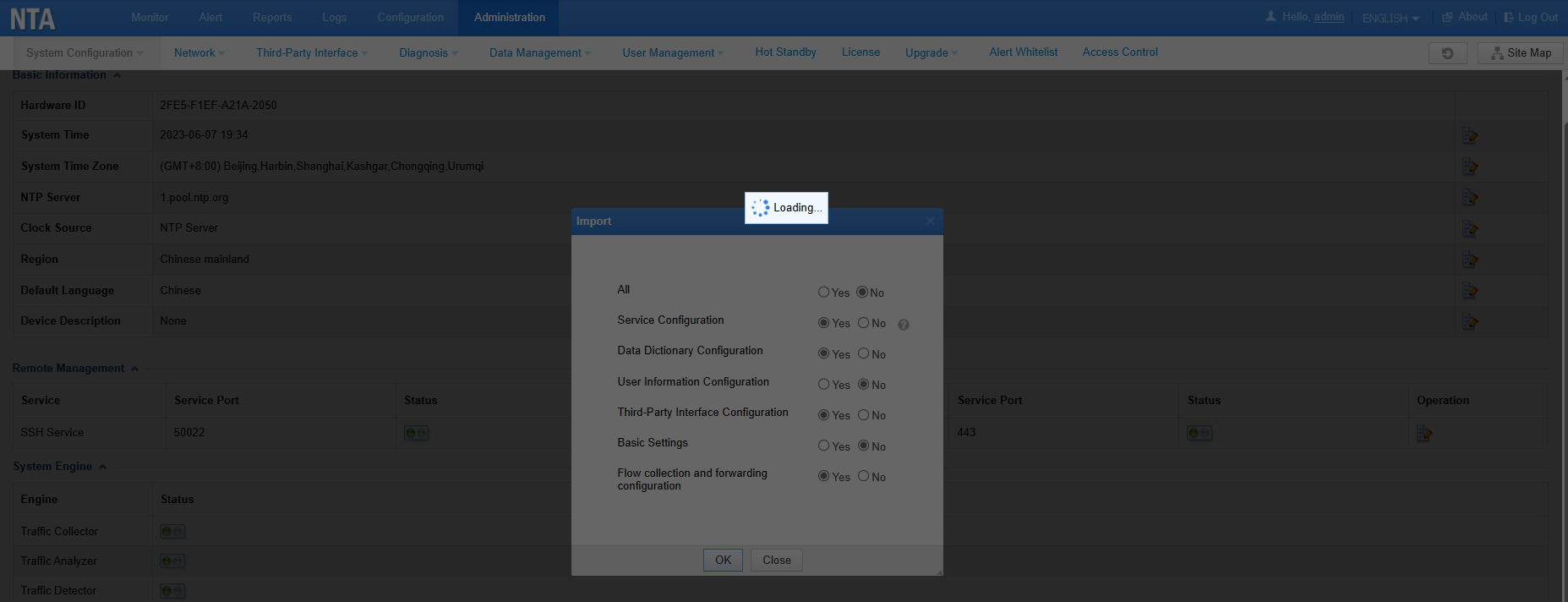
2. Before importing, ensure that this file contains the required configuration; otherwise, the parsing would fail.
3. After importing the file, the device will be restarted. It is recommended to import the configuration file by selecting the maintenance window or a time that the operation will have the least effect on the business relatively.

