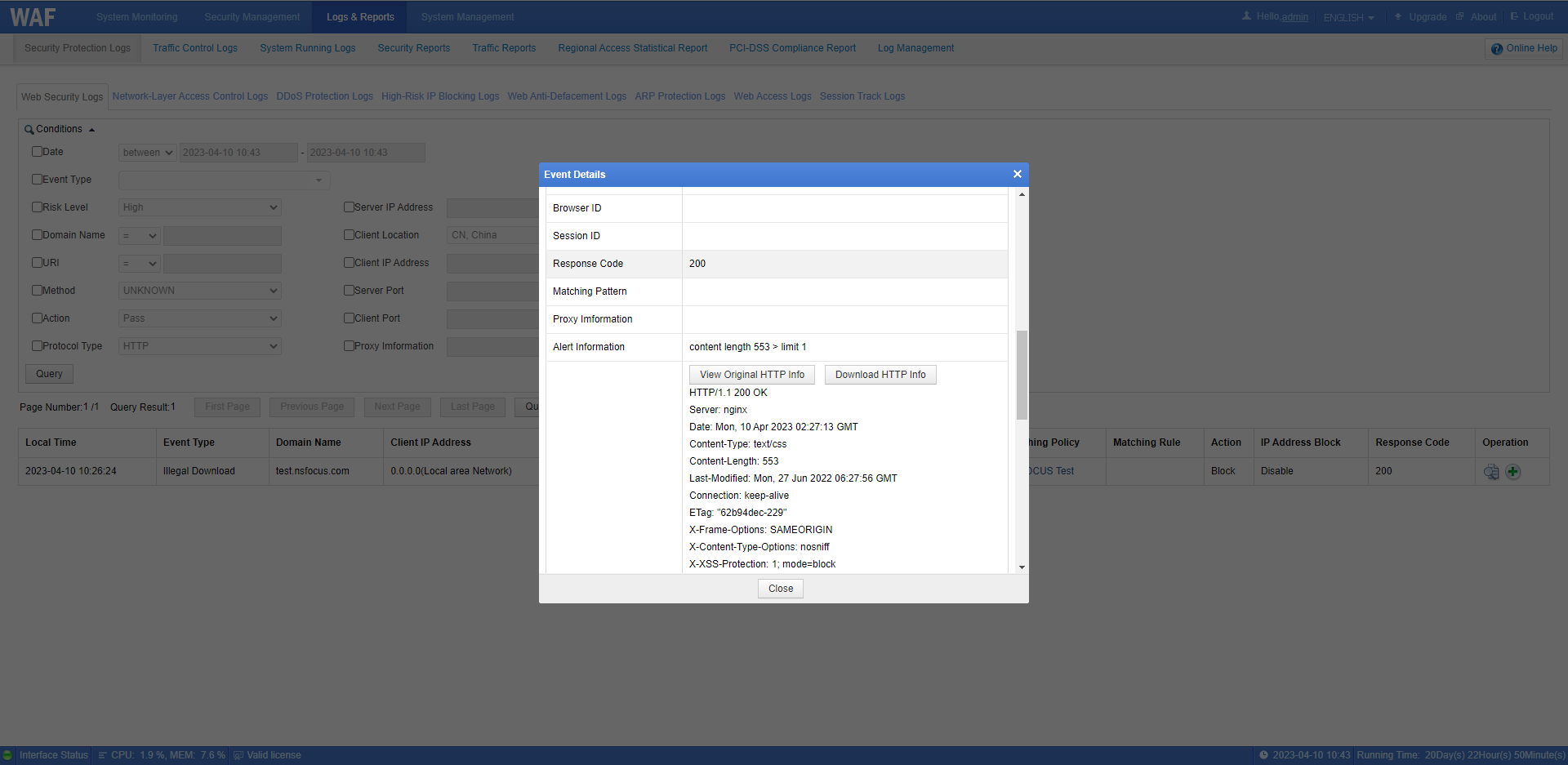
When a client downloads a file from a server, NSFOCUS WAF performs protection based on the file type, file size or MIME type. If the download file matches an illegal download restriction policy, NSFOCUS WAF allows or blocks the download based on the corresponding action specified in the policy, and logs the event. On the Illegal Download Restriction page, customers can create, edit, delete, and duplicate illegal file download restriction policies.
Configuration Procedure:
Choose Security Management > Policy Management >Basic Protection > Illegal Download Restriction > Click Create on the right > Fill in or select Basic Information as required.
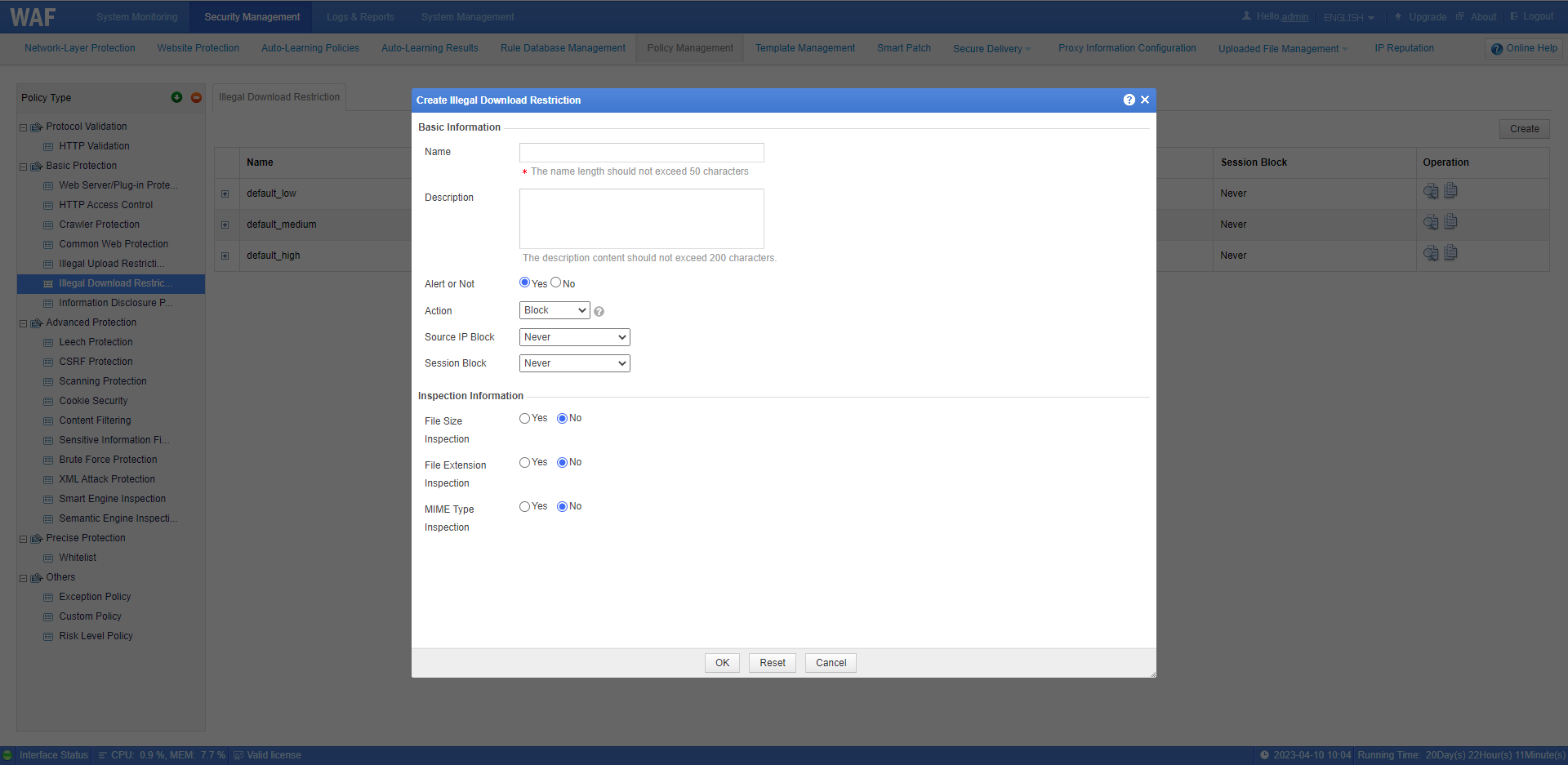
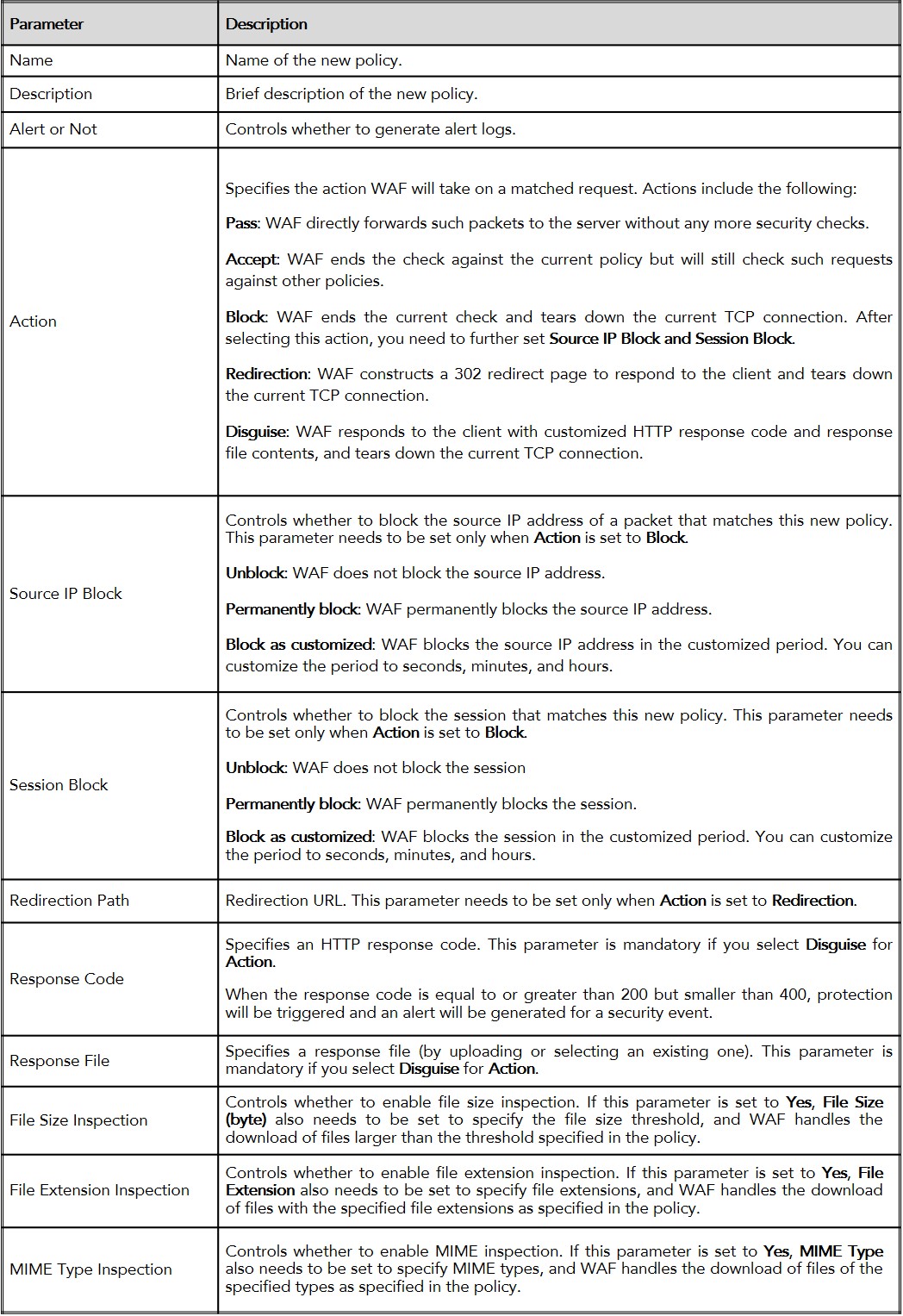
Parameters for creating an illegal download restriction policy:
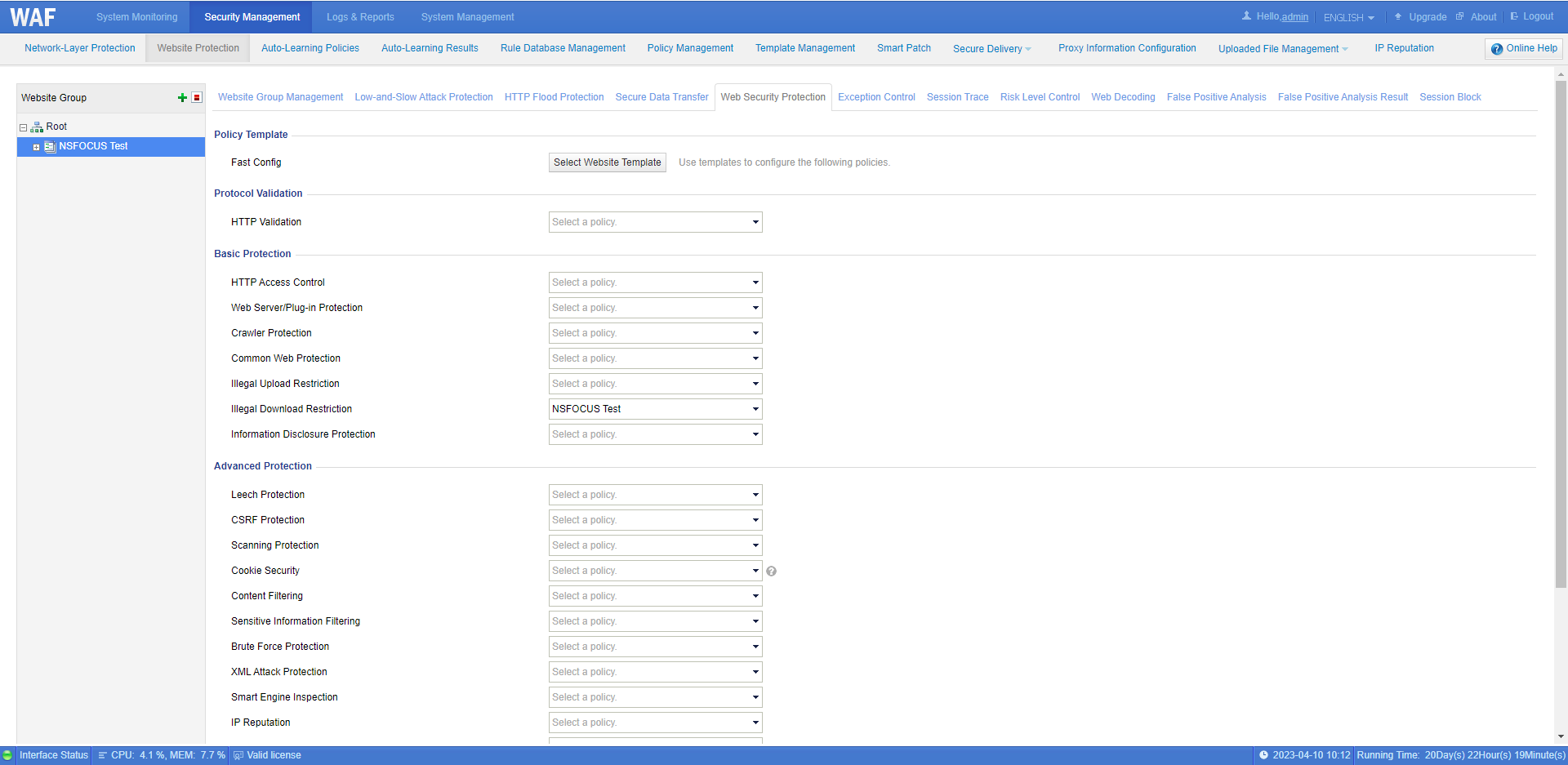
Enable the Illegal Download Restriction for protected websites:
Choose Security Management > Website Protection > Website Group > Web Security Protection > Illegal Download Restriction > Choose the Policy created on the last step > Click OK on the bottom.
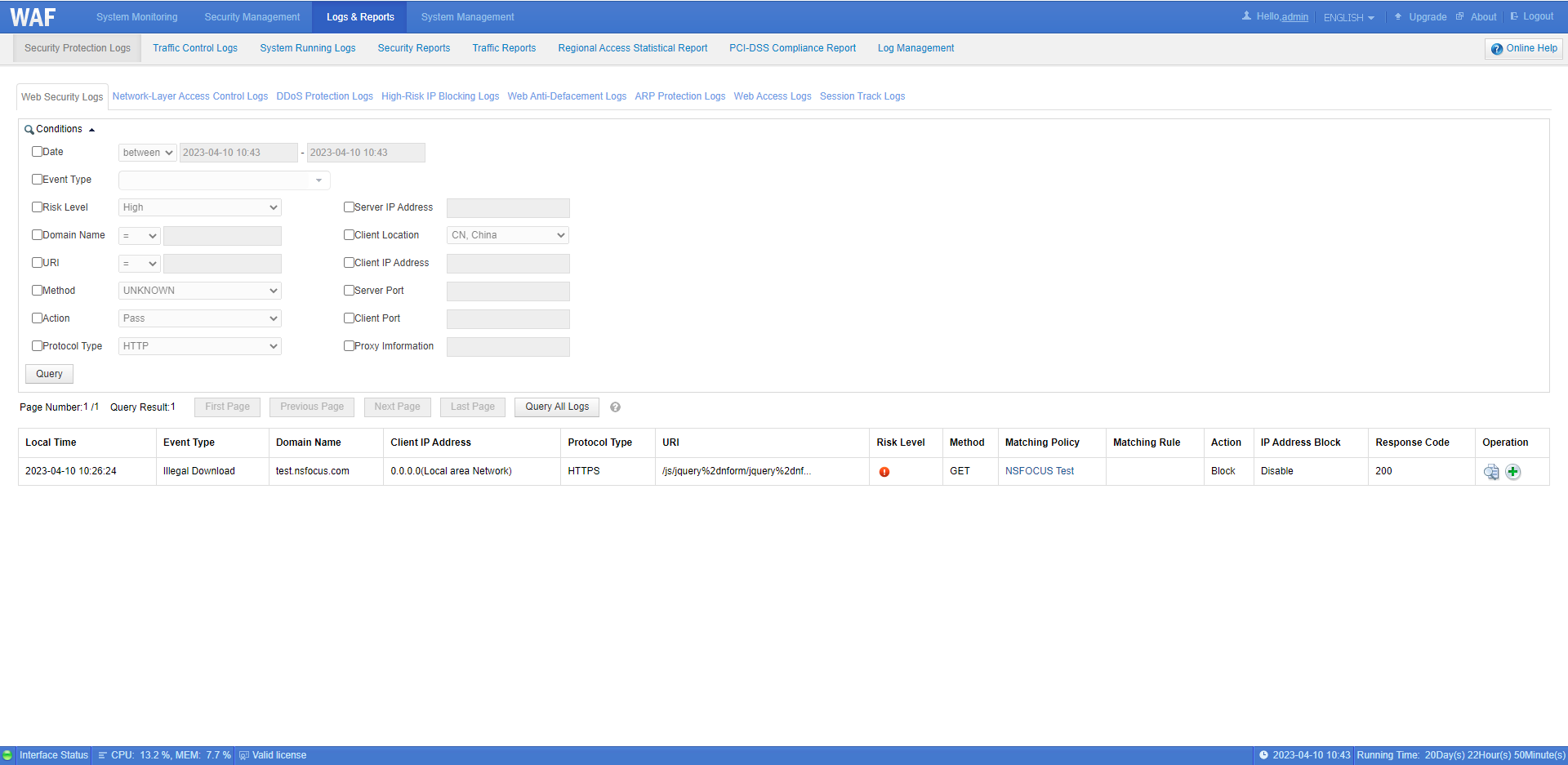
Check NSFOCUS WAF protection logs against illegal download attacks:
Choose Logs & Reports > Security Protection Logs > Web Security Logs
Check malicious payload: