NTA can monitor the CPU and memory usage, as well as traffic on the router interfaces where SNMP functionality is enabled. We will provide an example to explain the configuration for a better understanding of SNMP setup.
Scenario: Configuring SNMP between the NTA management interface (IP: 10.66.249.47) and a switch (10.66.249.61).
1. Configuration on the switch side:
Before configuration, check the community, group, and usm-user information, all of which are empty.

- The ‘display snmp-agent community‘ command is used to view SNMP v1 or SNMP v2c community information.
- The ‘display snmp-agent group‘ command is used to view SNMP v3 group details, encompassing group name, security mode , storage method, and more.
- The ‘display snmp-agent usm-user‘ command is used to present SNMP v3 user information.
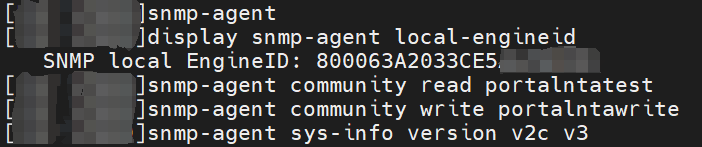

The configuration specifies the read-only community name as ‘portalntatest’, the read-write community name as ‘portalntawrite’, and the SNMP version used by the system includes v2c and v3. Furthermore, it permits the transmission of SNMP v2c Trap messages to the IP address 10.66.249.47.
Command explanation:
- The ‘snmp-agent’ command is used to initiate the SNMP Agent.
- The ‘display snmp-agent local-engineid’ command is used to display the device’s SNMP entity engine ID.
- The ‘snmp-agent community’ command is used to establish a new SNMP community, allowing the configuration of parameters such as access permissions, community name, access control lists, and accessible MIB views.
- The ‘snmp-agent sys-info’ command is used to set system information, covering details like system maintenance contact information, physical location information of the device node, and enabled SNMP versions.
- The ‘snmp-agent target-host’ command is used to configure attributes for the host that will receive SNMP Trap messages.
2. Configuration on the NTA side:
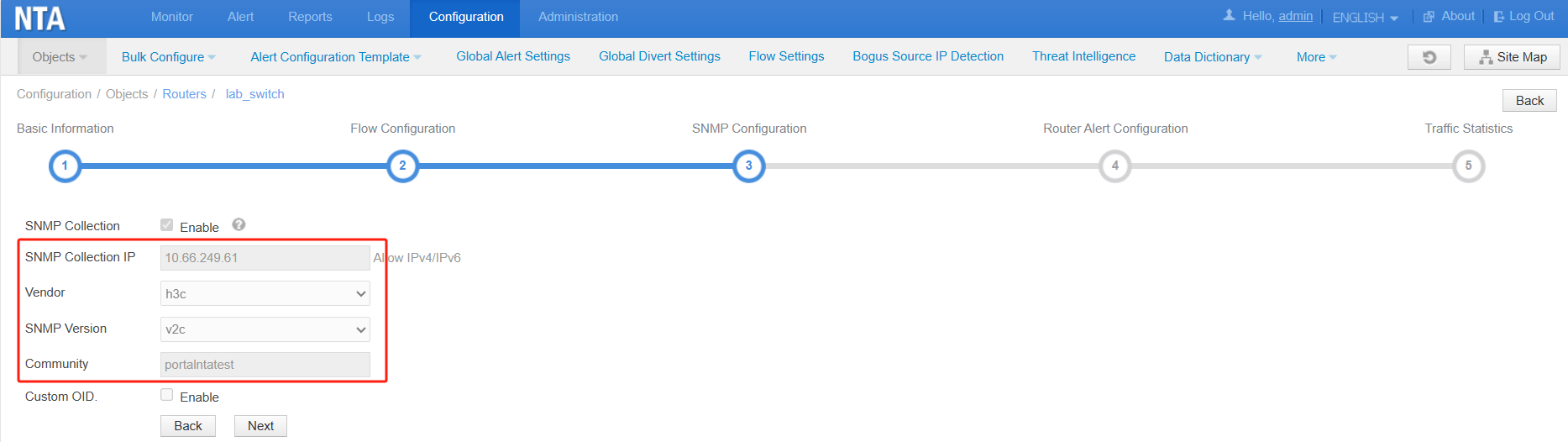
1) In NTA Configuration > Objects > Routers > SNMP Configuration, choose SNMP Version and fill in the Community.
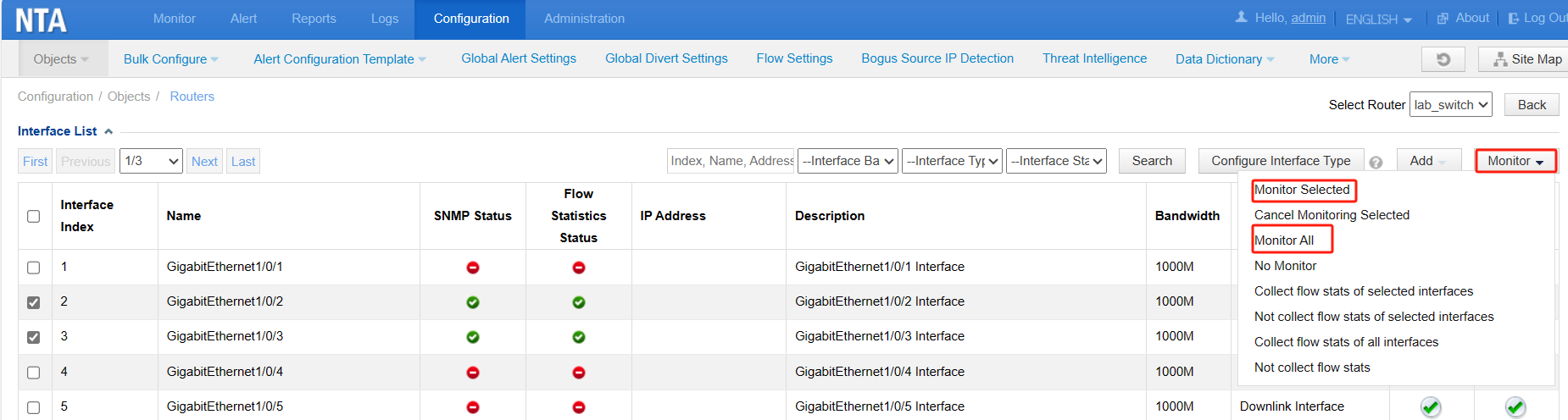
2) Open router interface SNMP monitoring on NTA. In Configuration > Objects > Routers page, click the number in the Interface Number column to go to the Interface List page. Click Monitor Selected from the drop-down box to enable monitoring selected interfaces, or click Monitor All to enable monitoring of all interfaces.
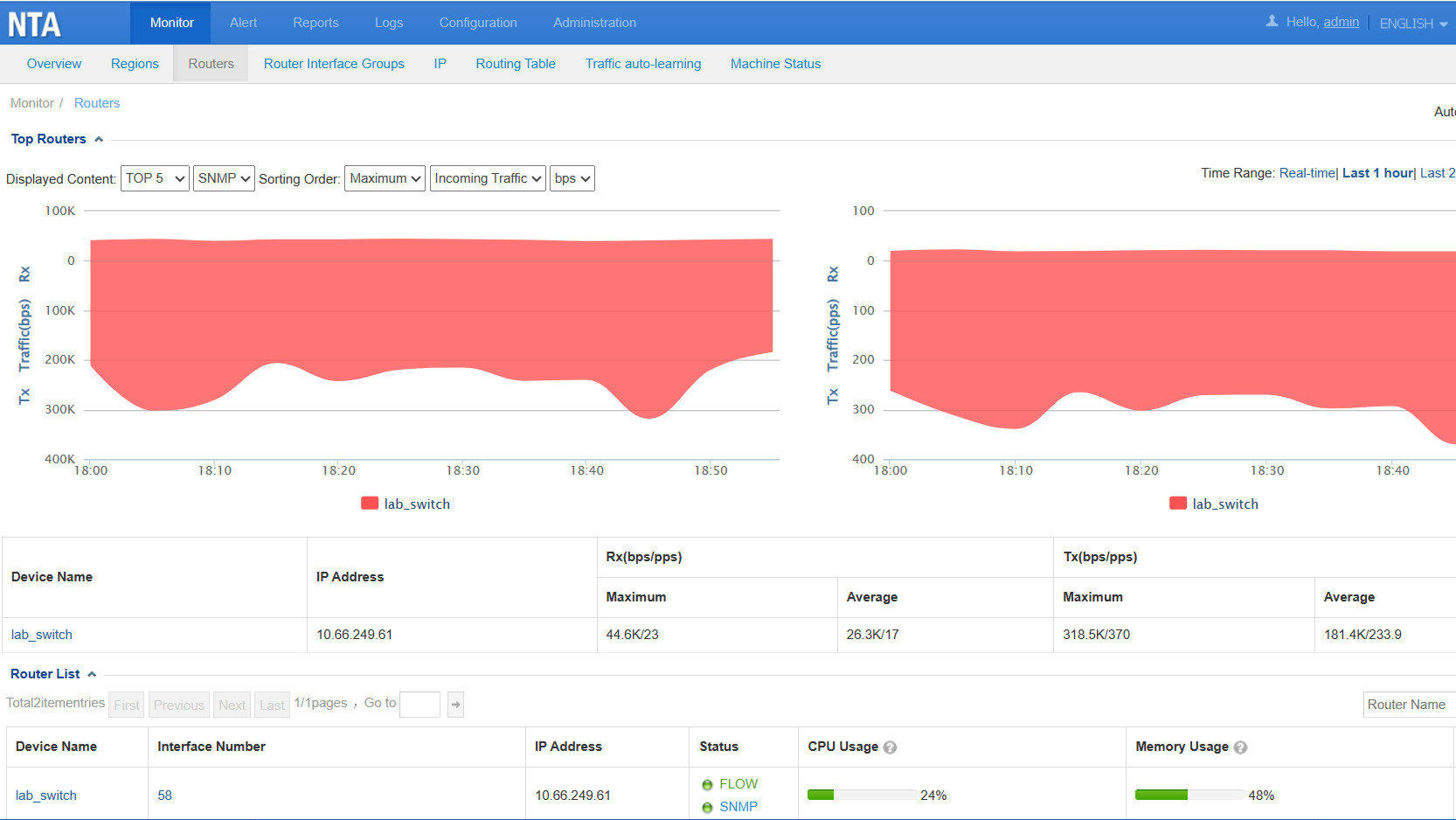
Upon completing the configuration, you can access the current SNMP information by navigating to NTA Monitor > Routers.
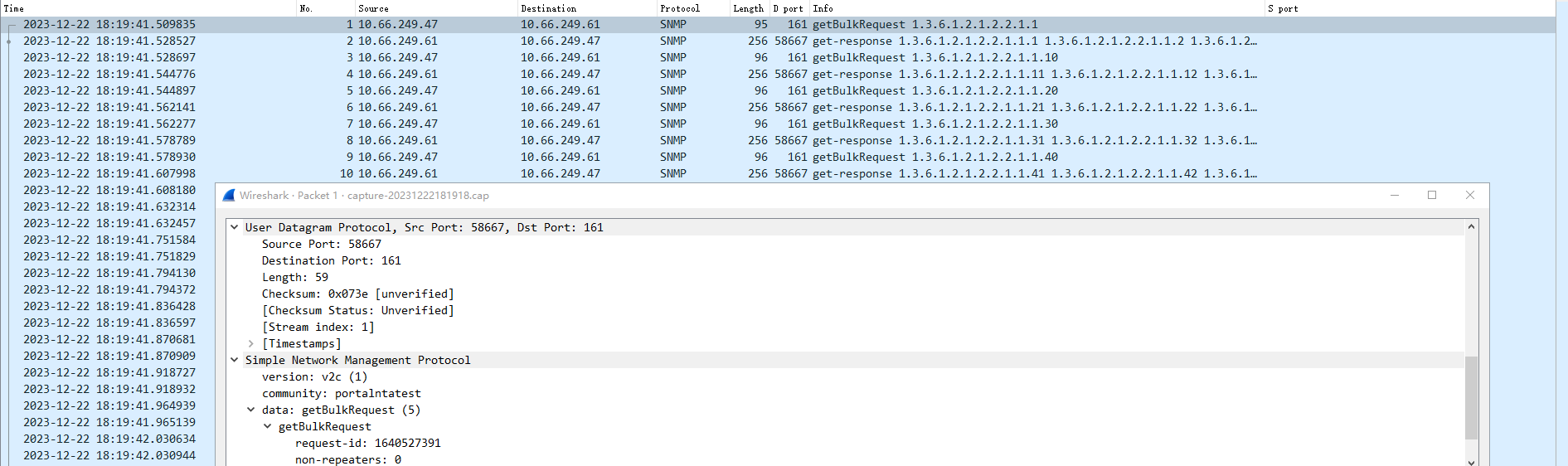
In NTA, captured the SNMP packets related to the switch. NTA initiates SNMP “get” requests, and the switch responds to these requests.