
After ADS is installed, you must import a license before using it. License types vary a bit for hardware devices and virtual devices:
- Hardware device: License types include Trial, Temporary Sales, and Perpetual.
- Virtual device (vADS): License types include Trial, Temporary Sales, Perpetual, and Subscription.
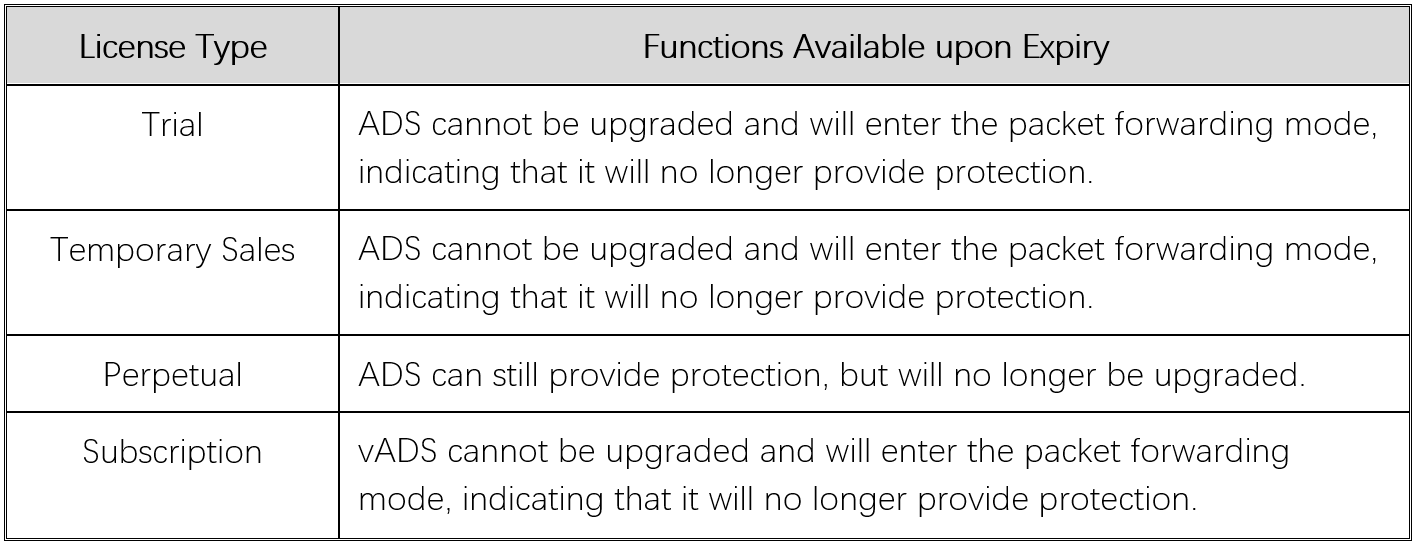
ADS will provide limited functions when a license expires, as shown in Table 1. What functions are still available depends on the license type.
Table 1 Functions available upon license expiry
Tips:
- The license model must match the device model.
- The license name cannot contain special characters.
- The new license must satisfy the condition that the start time of its validity period is later than that of the old license, and the end time is later than that of the old license.
- The hash value of the hardware license must match the hash value displayed on the device.
- If the current and updated licenses are the same, the update of the license will fail.
For more information, please get in touch with technical support (support@nsfocusglobal.com).
When importing a license, you can view its information by clicking Preview under System > Others > License Info.
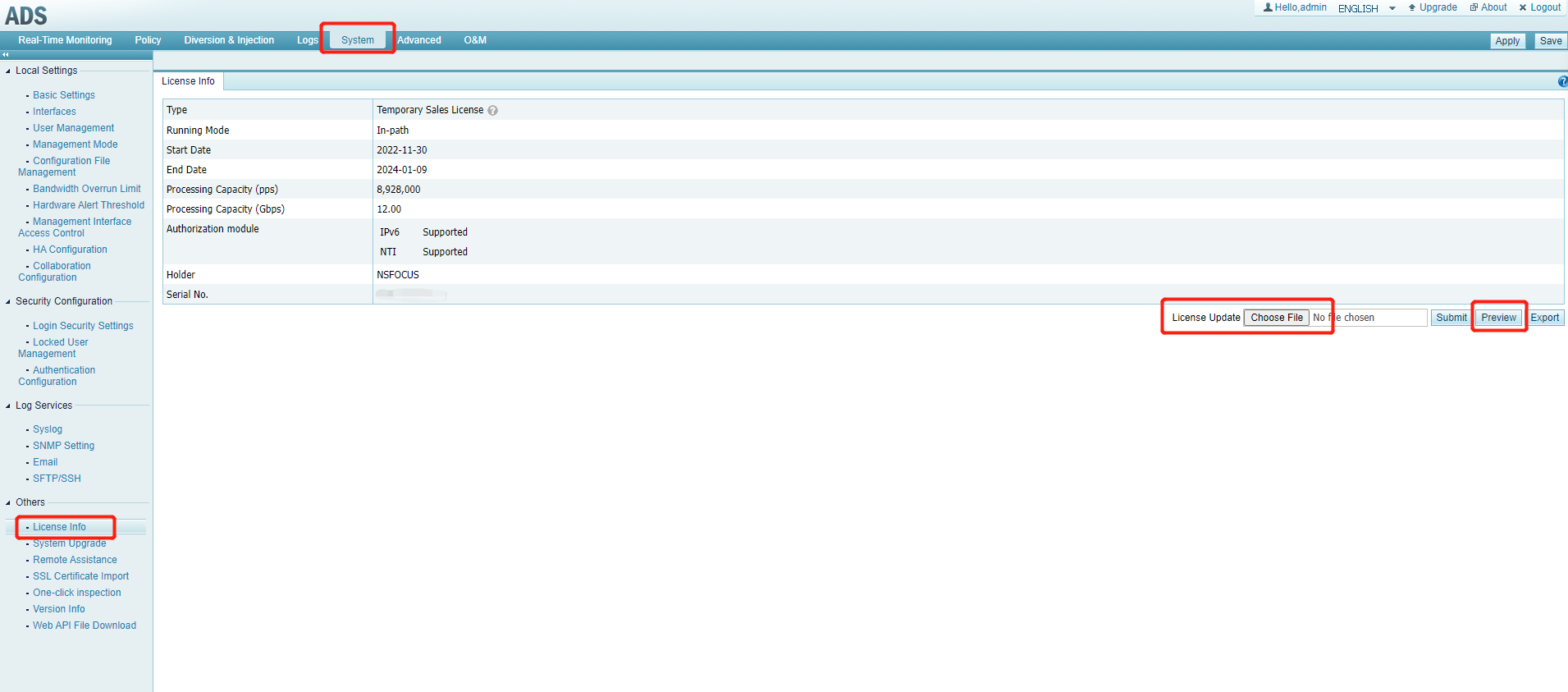
Click to Enlarge

