
There are two separate email configurations on NTA which do not affect each other. One is the region/IP group email alert, the other is the global email alert.
1. Region/IP Group Email Alert
Configuration -> Objects -> Regions -> Edit Corresponding Region/IP Group
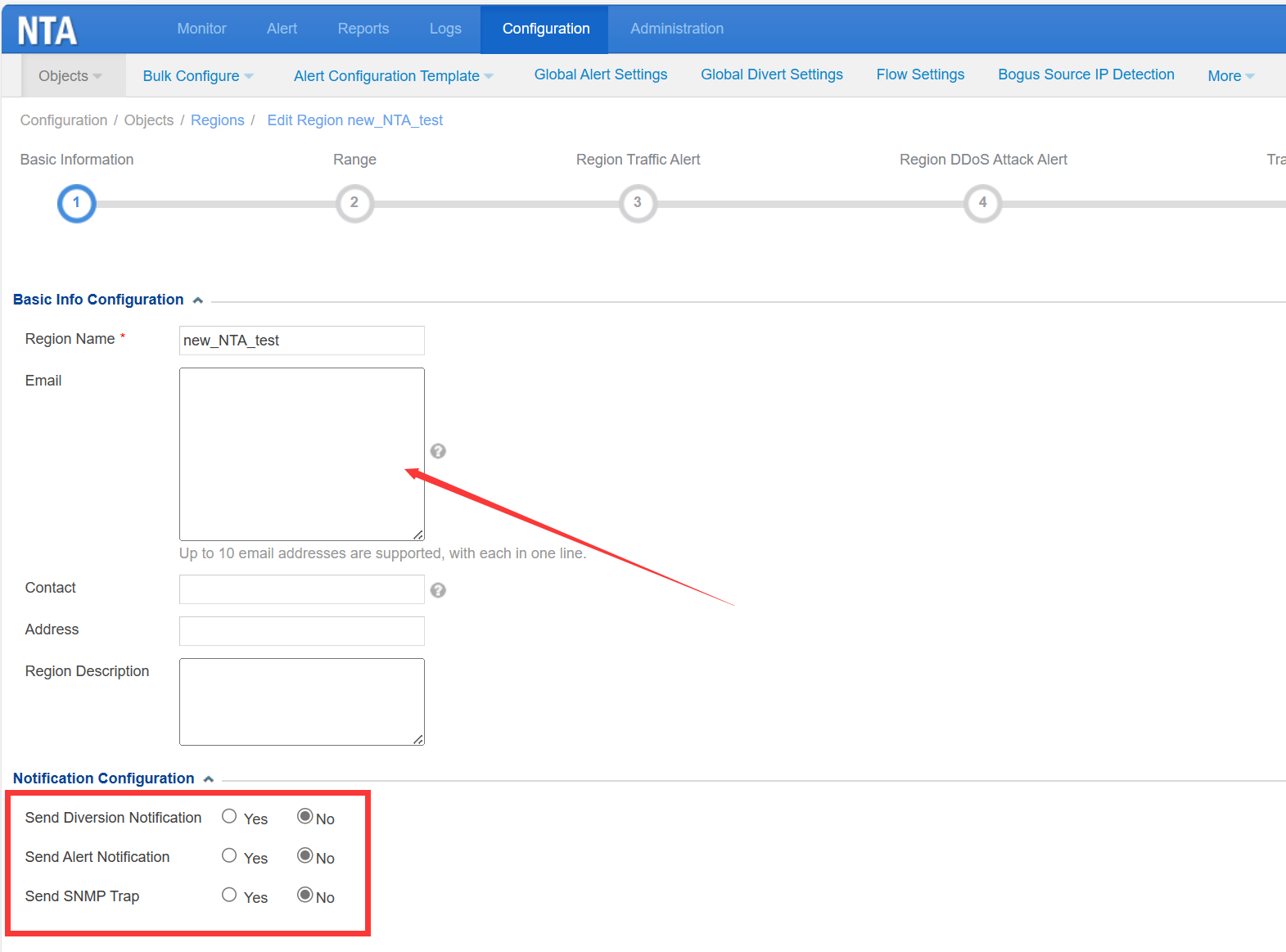
Email addresses configured on the Region -> Basic Information page will receive alerts of this region/IP group when triggering the corresponding threshold. You can also choose whether to send alerts for Diversion Notification/Alert Notification/SNMP Trap notification of this region/IP Group to the email address.
2. Global Email Alert
Administration -> Third-Party Interface -> Email Service
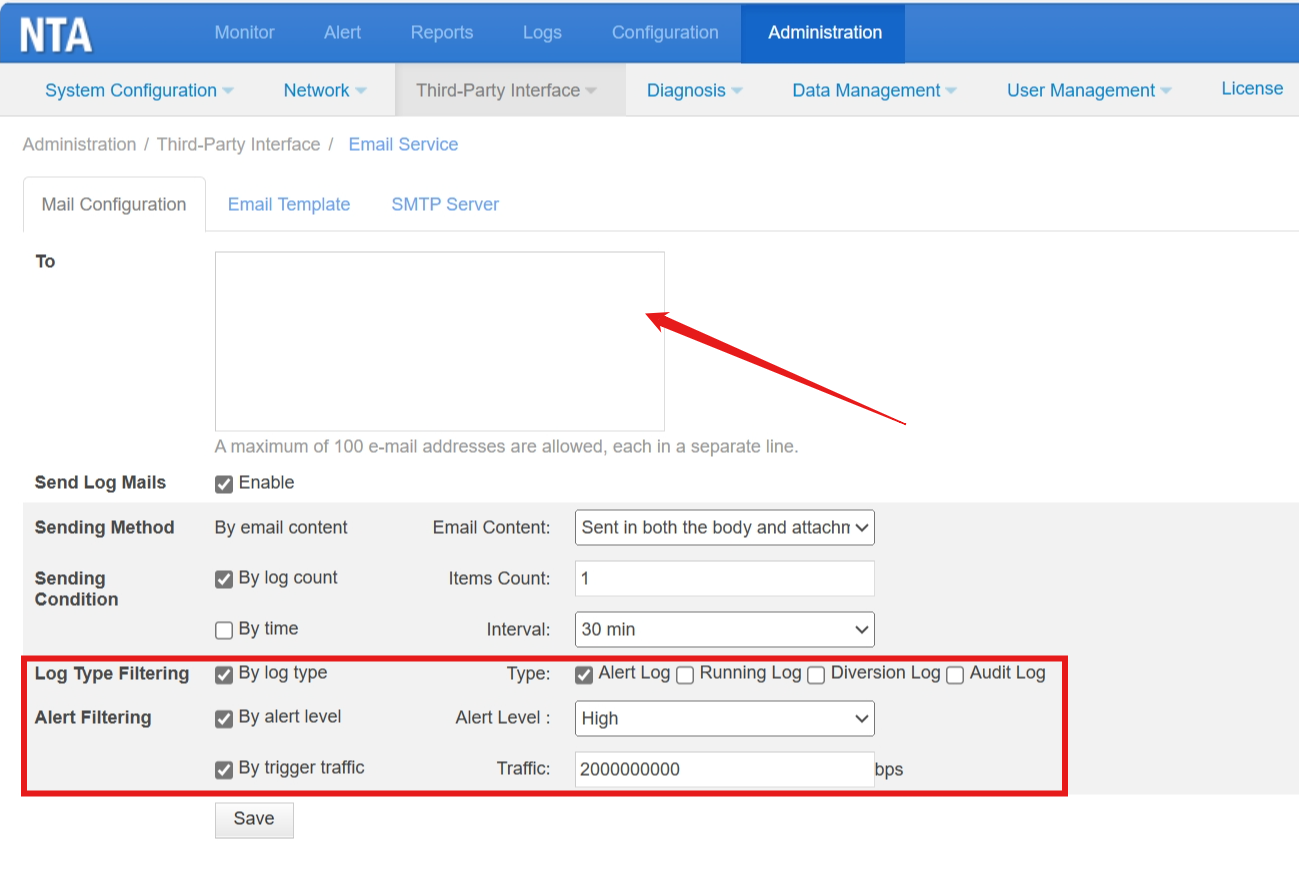
Email addresses configured on this page will receive all alerts when meet the configuration on this page.
- Sending Condition: send email only when meeting the condition of log count or time interval
- Log Type Filtering: if you choose “By log type”, it will send the chosen type of log. If you do not click any type, it will not send these types of logs.
- Alert Filtering: By alert level – send logs which meet the level; By trigger traffic: send logs only when traffic meets the threshold.

