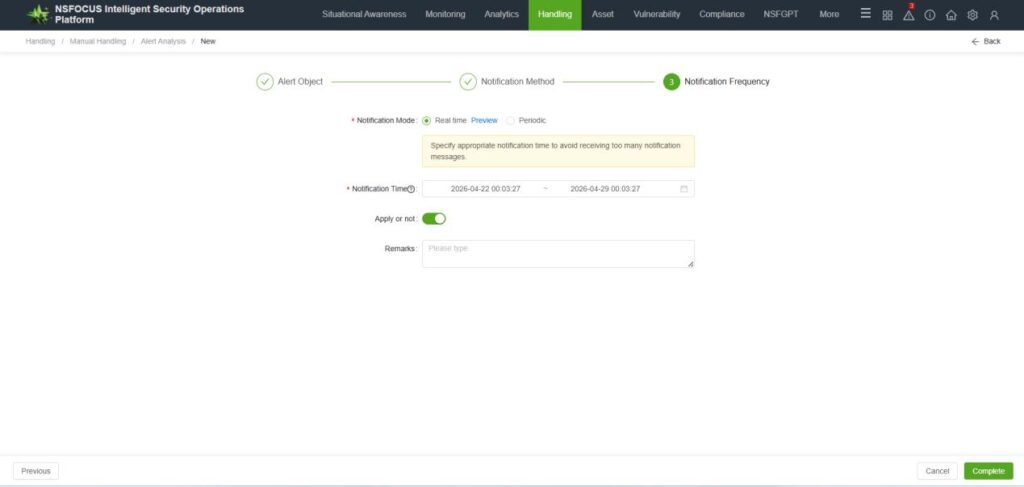
ISOP and BSA all support configuring notification channels.
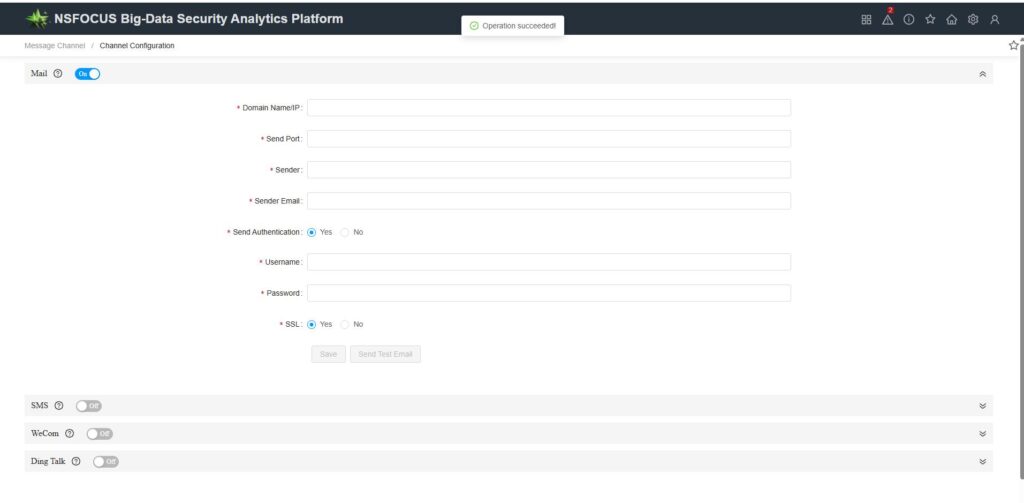
The path for configuring the BSA notification channel is [Message channel—Channel Configuration], supports email and SMS configuration.
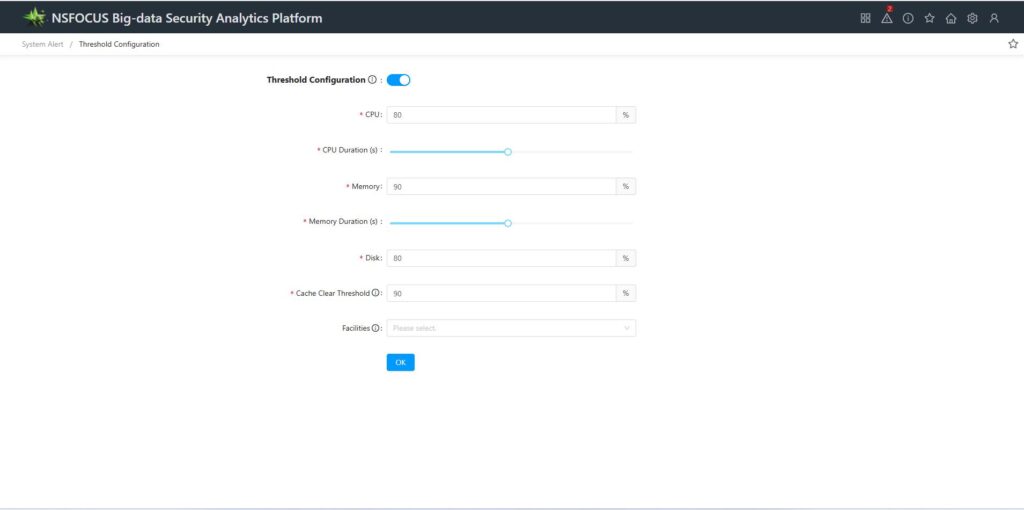
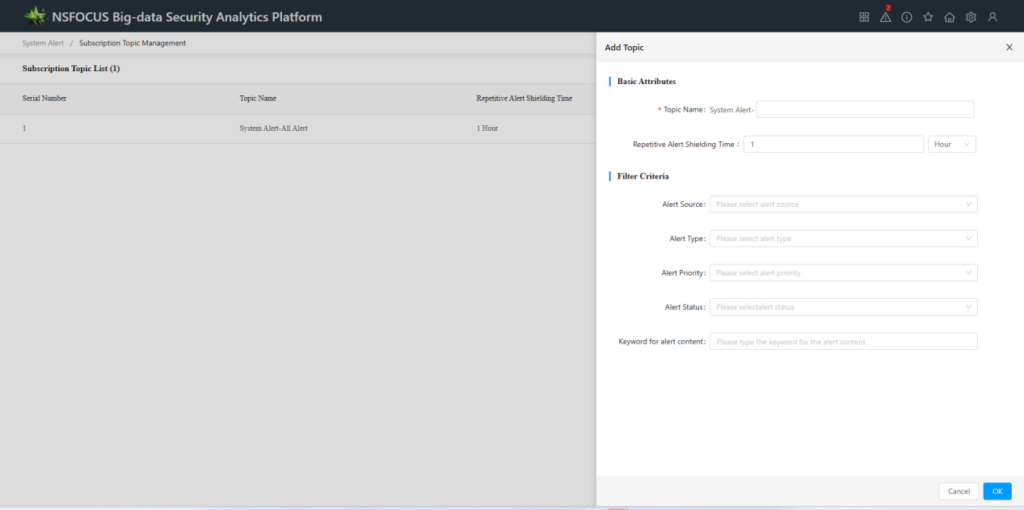
BSA can send notifications for system alerts. The configuration path is: [System Alerts—Threshold Configuration]. The path to subscribe to messages is: [System Alerts—Message Subscription—Add Subscription].
The ISOP configuration notification channel path is [Handling—Manual handling—Ticket Management] in the [Notification Channel Configuration], email and SMS are supported.
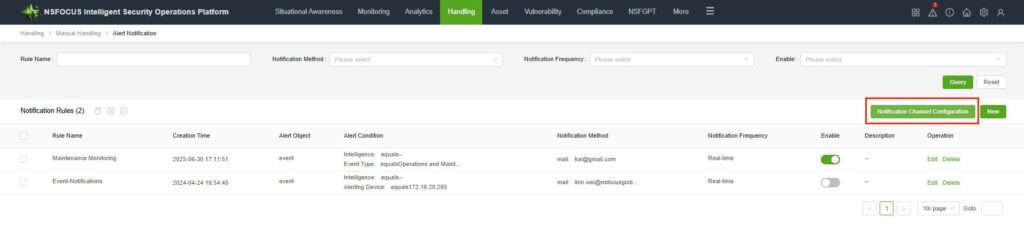
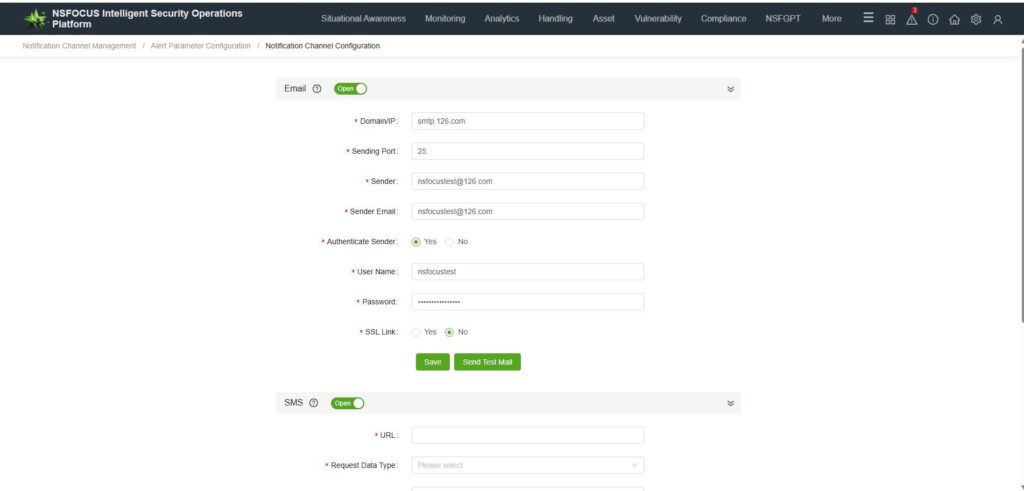
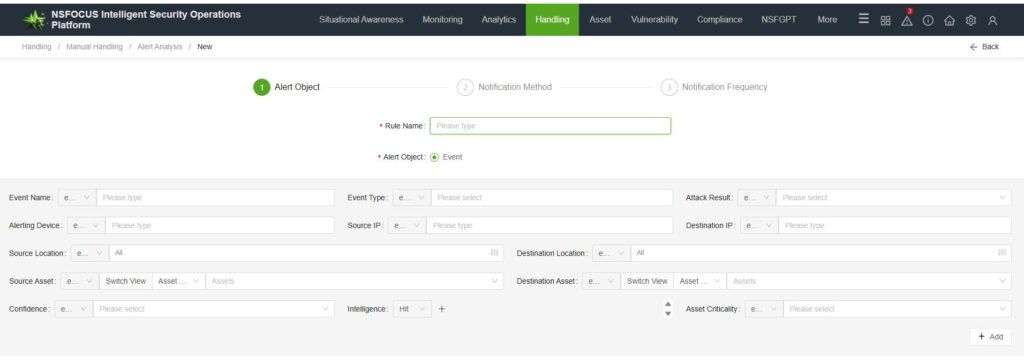
ISOP can send alert notifications for events. The configuration path is:[Handling—Manual handling—Alert Notification],In the middle, select [New], choose the event type you wish to send externally, and then click Next.
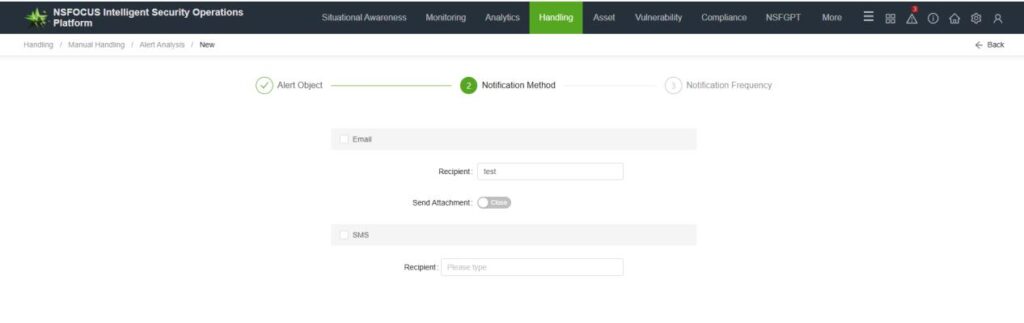
Configure the notification method, for example, select Email To send a notification. Configure the Email address who need to receive the alert, pay attention to multiple Email addresses separate with semicolons in English, then click Next.
Set the notification frequency to either real-time or periodic, specify the notification time according to your actual selection, and click “Complete”.