
In the versions before 6.0.7.3.61634, after users upgrade the NSFOCUS WAF Rule Database, they have to add the new rules one by one to the website’s policy based on the rule name or the rule number manually to apply the new policies. To improve user experience, the NSFOCUS WAF version 6.0.7.3.61634 has optimized this functionality. Before manually upgrading the rule package, users can decide whether to apply the latest added or optimized rules to the current website groups based on the rule’s risk levels at System Management > System Tools >Rule Upgrade > Manual Upgrade.
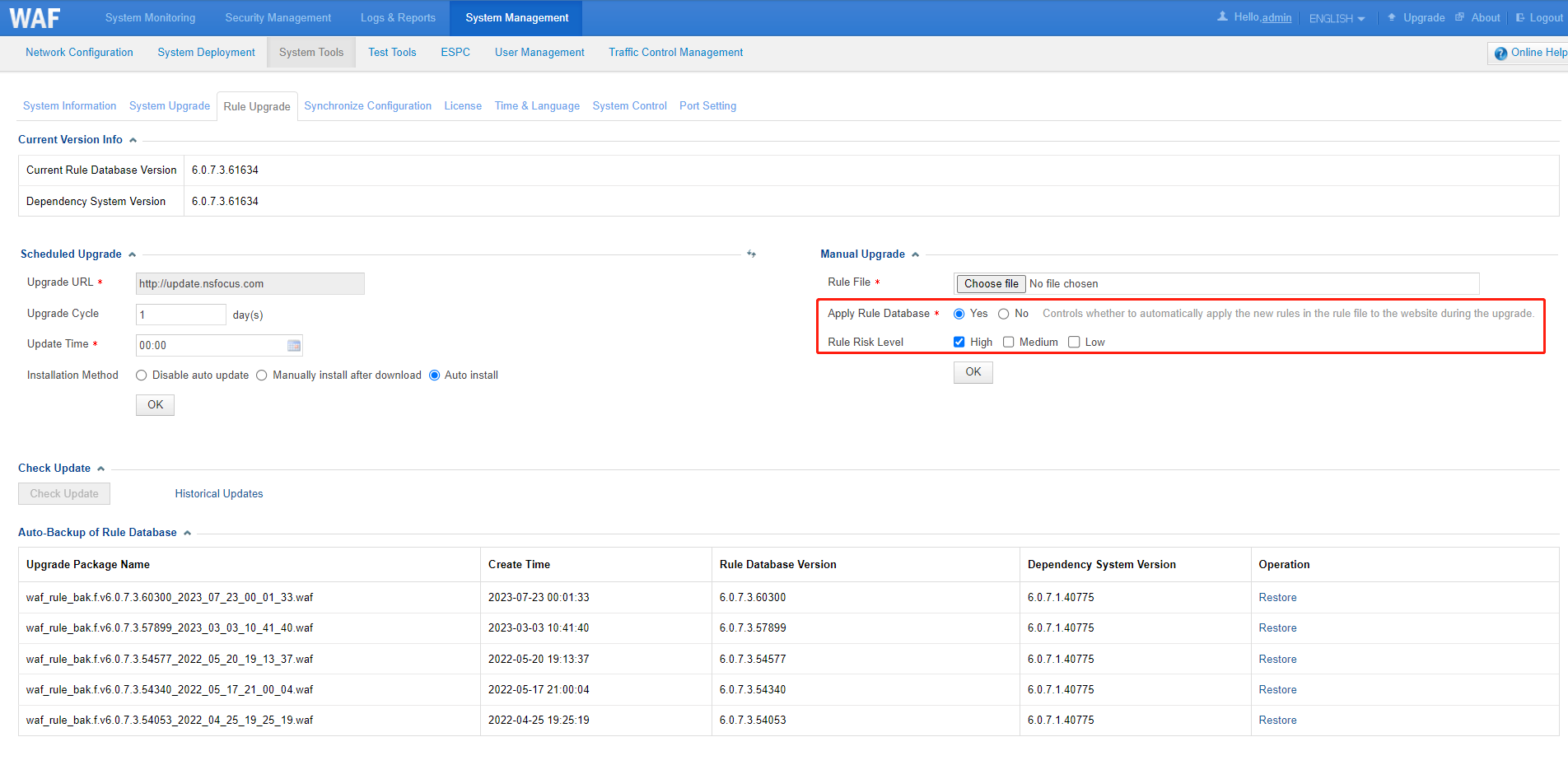
After applying the new rules, please monitor the website accessibility for some time to avoid business interruption caused by false positive protection of the new rules.
If the website group uses the default policy template, it cannot be modified.
Considering the risk that enabling this feature in scheduled automatic upgrade could potentially trigger false positive protections and cause business disruptions without awareness, this feature is available in manual upgrade currently.

