
This article summarizes the preparation configuration of ADS diversion. The specific configuration details may vary depending on the information of the ADS on the client side, router information, and ADS version. The configuration content and order can be referenced from this article.
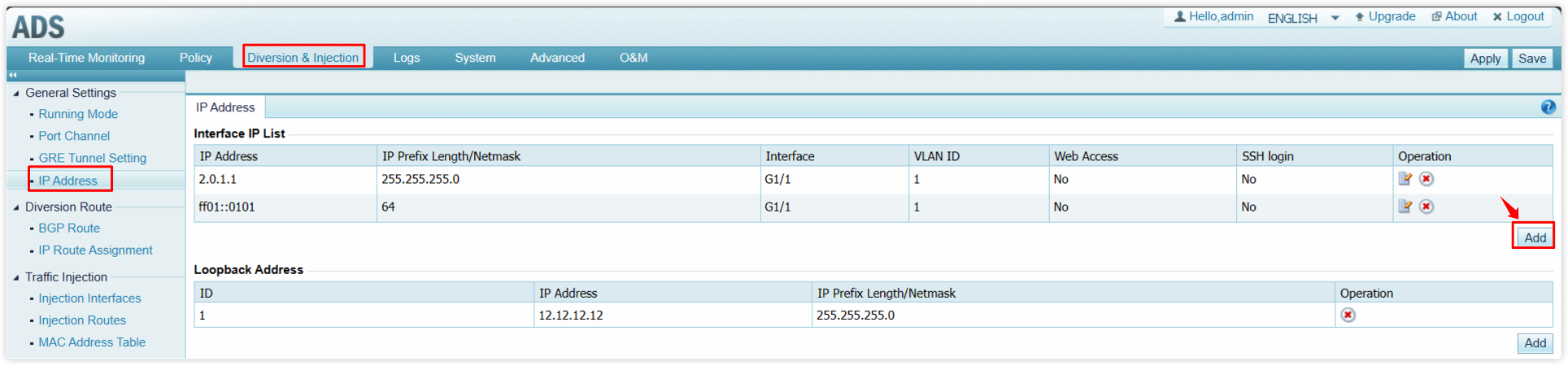
1. Before configuring diversion, it is necessary to configure IP address information on the ADS Diversion & Injection -> General Settings -> IP Address. Note: If diversion for IPv6 addresses is required, IPv6 interface addresses should be added to the ADS.
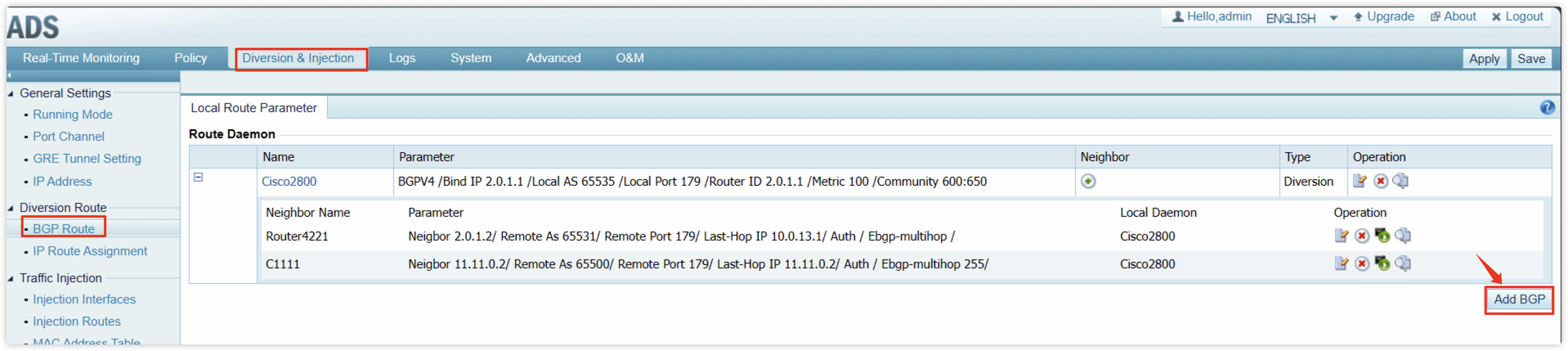
2. Add BGP routing information on Diversion & Injection -> Diversion Route -> BGP Route and neighbor information under the corresponding BGP. Note: If diversion for IPv6 addresses is required, establish IPv6 BGP between ADS and the router.
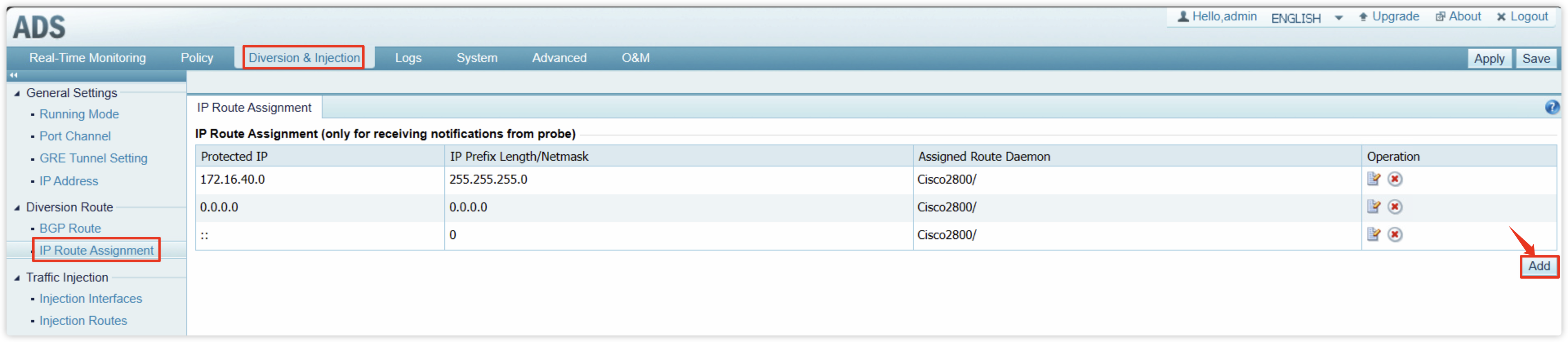
3. Add IP Route Assignment on Diversion & Injection -> Diversion Route -> IP Route Assignment, add the required IP information for diversion to the ADS, and select the corresponding BGP daemon. Note: If diversion for IPv6 is required, select the IPv6 BGP route daemon.
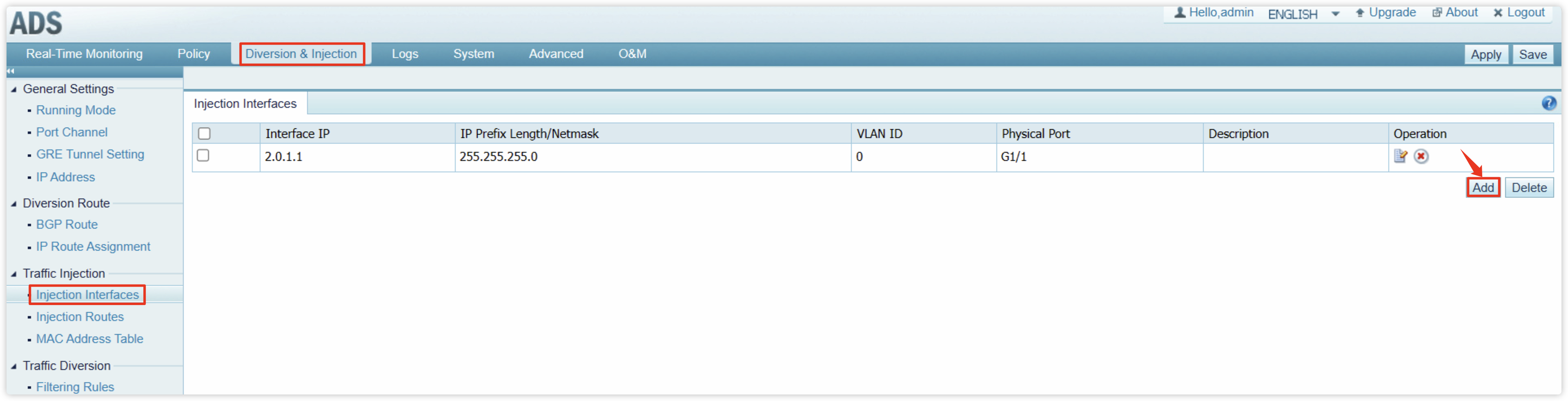
4. Add injection interface information on Diversion & Injection -> Traffic Injection -> Injection Interfaces.
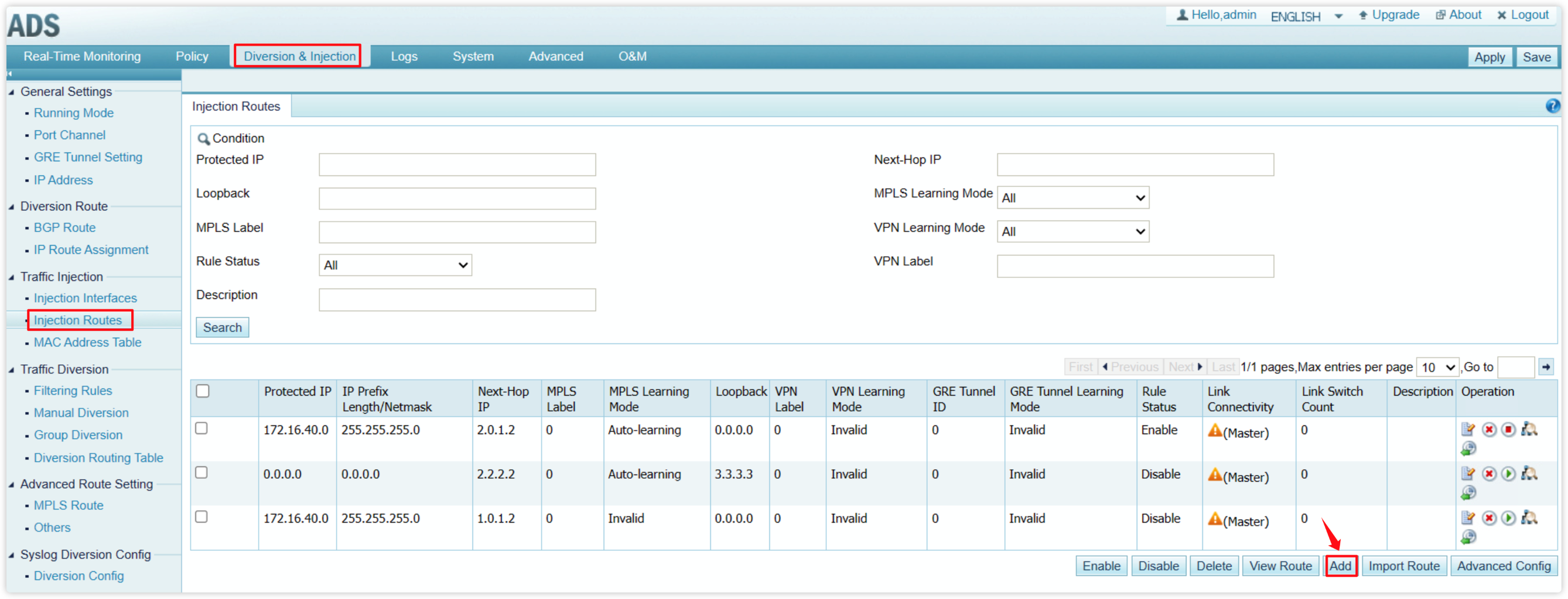
5. Add injection route information on Diversion & Injection -> Traffic Injection -> Injection Routes. This step allows the cleaned traffic to be returned to the client side. Note: If it is an IPv6 address, please use the IPv6 Next-Hop IP for injection.
Once the above steps are completed, diversion of traffic on the ADS can be achieved.

