
ADS M can manage NTAs, including checking NTA running status, time synchronization, dispatching IP group configuration of a region, displaying traffic information of NTAs, and receiving logs uploaded from NTAs.
The steps to configure the collaboration between ADS M and NTA are as follows:
Configuring NTA
Step 1: Choose Administration > Third-Party Interface > Management Mode, and click Add.
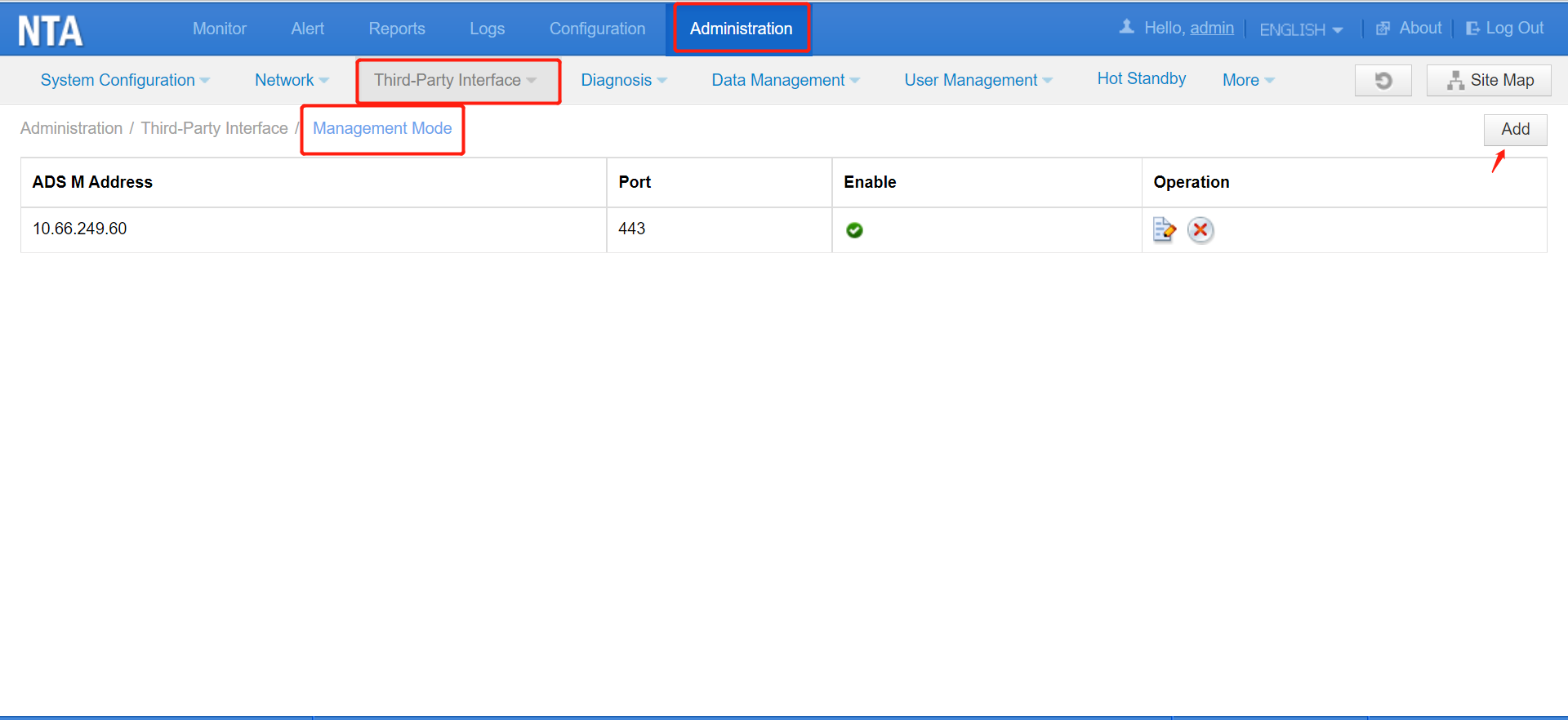
Step 2: Set the management IP address, port number, and management password of ADS M. Port 443 is recommended. If you use other ports, they must be permitted in the network policy.
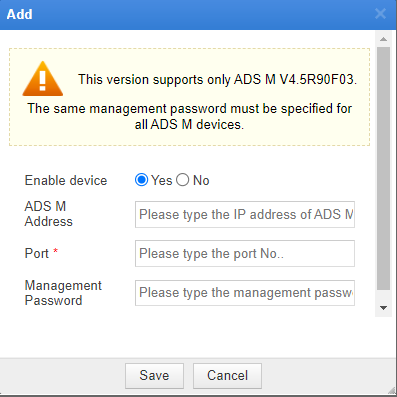
Click Save to save the configuration.

Configuring ADS M

Step 1: Choose ​​Device Management > ​​NTA Device, and click Add Device
Step 2: Type the NTA’s hash value, IP address, name, management password (consistent with the configuration on the NTA side), description, proxy access account, and proxy access password. Then click OK.
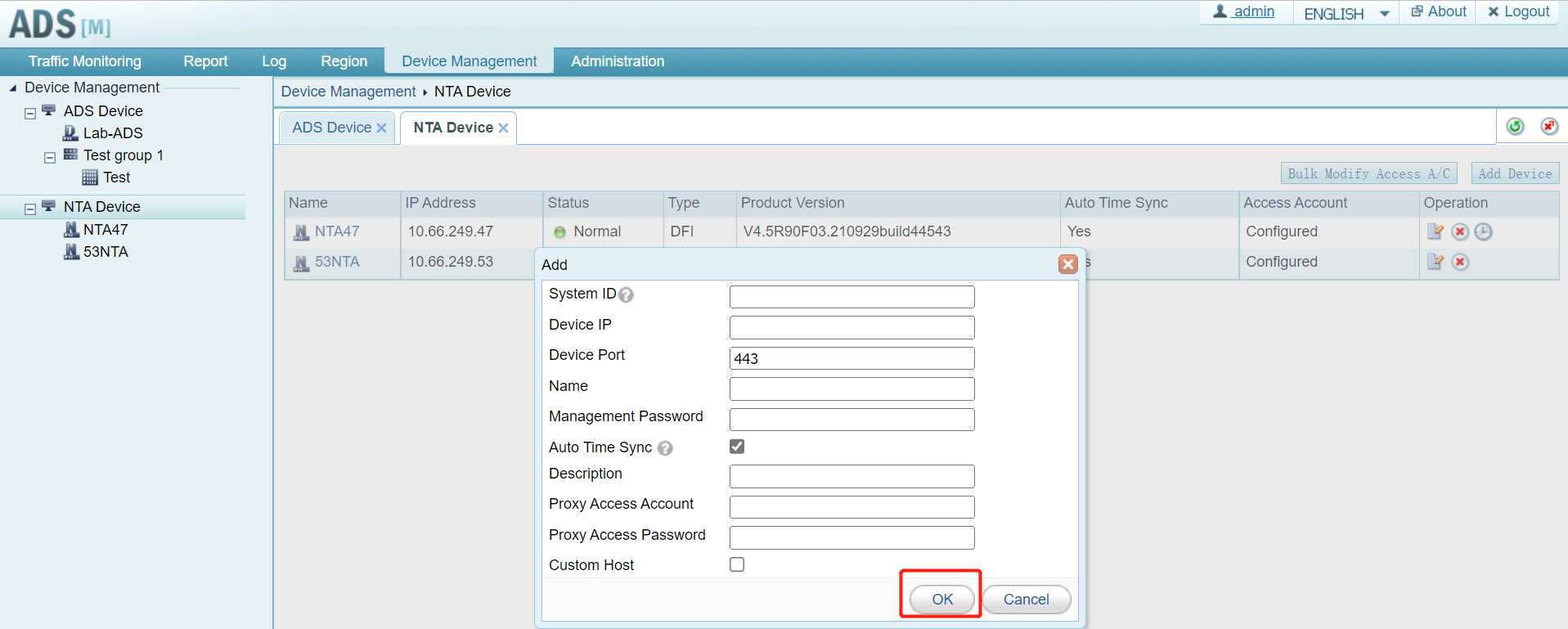
After the configuration, you can view the newly added NTA on the Device Management page.


