The implementation of DDoS attack alerting relies on setting alert thresholds. Setting the threshold too high may result in false negatives, while setting it too low may lead to a high number of false positives. Therefore, it is crucial to establish appropriate thresholds. NTA provides automatically learn, record, and analyze network traffic from the IP group, generating suitable thresholds for detecting various DDoS attacks. NTA determines this upper limit by learning the traffic patterns over a certain period and employs it as the threshold for attack alerts. This process is known as traffic auto-learning.
Generally, traffic auto-learning is performed in three steps:
Auto-learning start -> Alert thresholds generate -> Apply to IP group.
The configuration procedure is as follows:
Auto-learning start
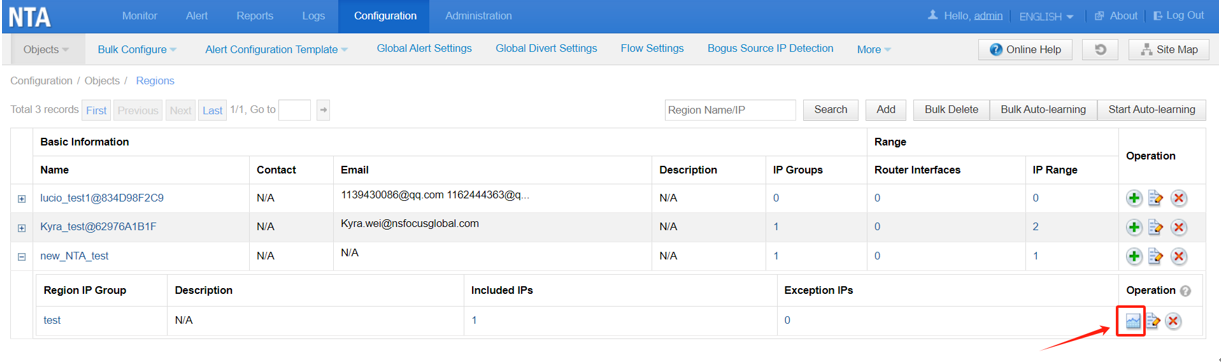
1. Access to Configuration -> Objects -> Regions page by clicking  in the Operation column.
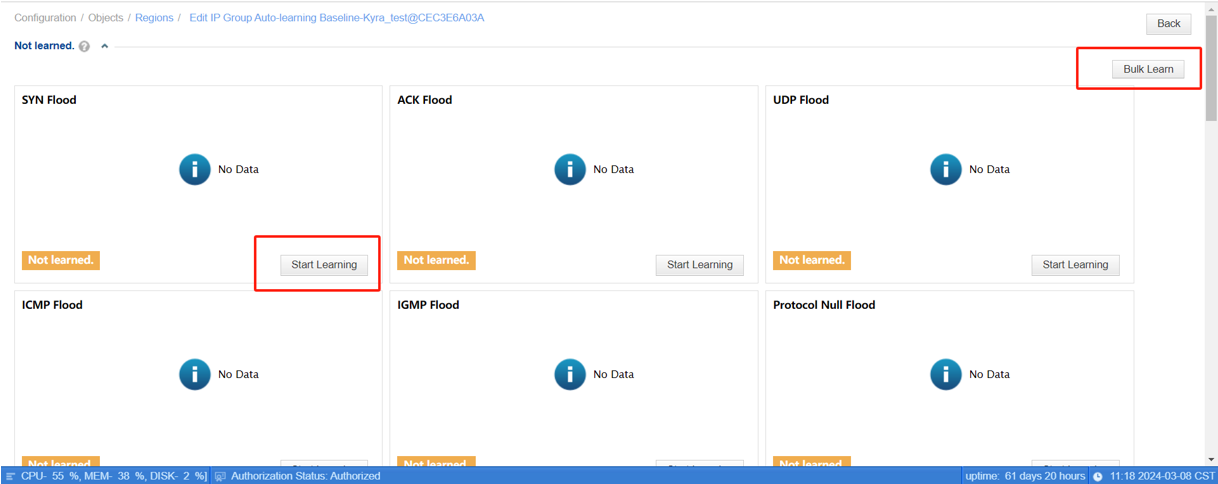
2. Click Start Learning in a certain attack type. Alternatively, you can click Bulk Learn to start learning for all attack types.
Alert thresholds generate
1. Configure basic settings in the dialog box.
(1) Apply immediately: indicates that baseline thresholds are applied for DDoS attack detection immediately after traffic auto-learning is completed.
(2) Not apply: indicates that fixed thresholds are still used after traffic auto-learning is completed. In this case, performing manual operations to make the baseline thresholds take effect is required.
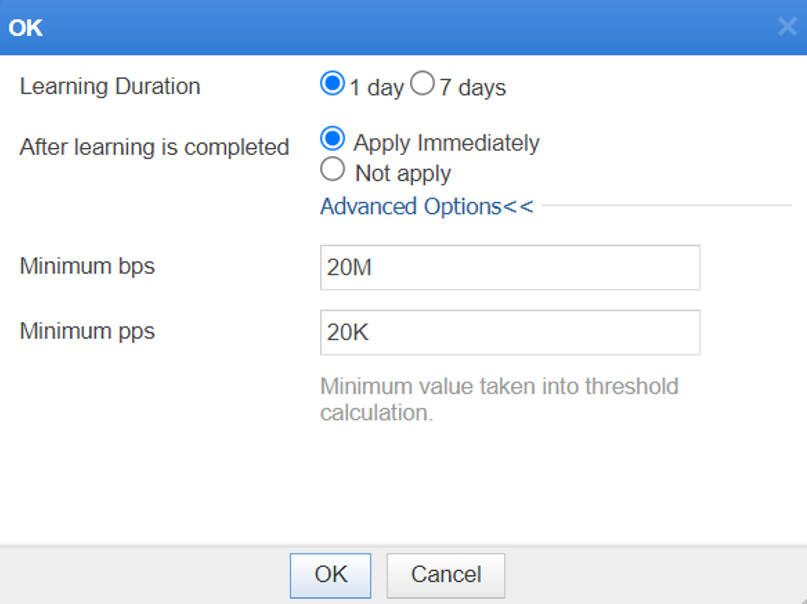
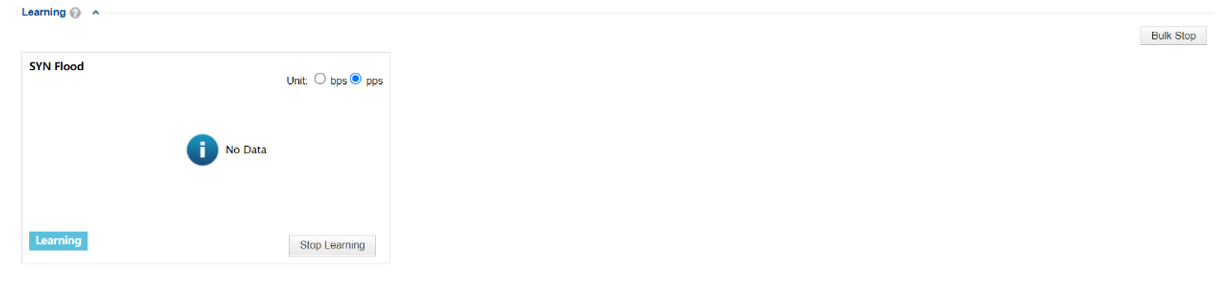
2. Click OK to start the learning. The figure below shows the learning is in progress.
3. Apply the threshold
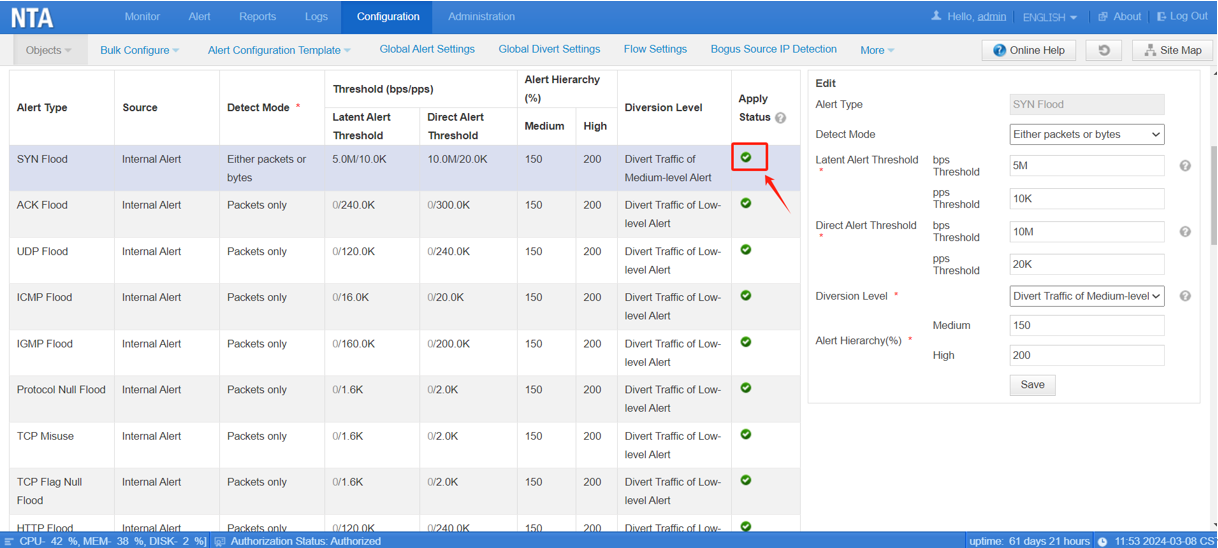
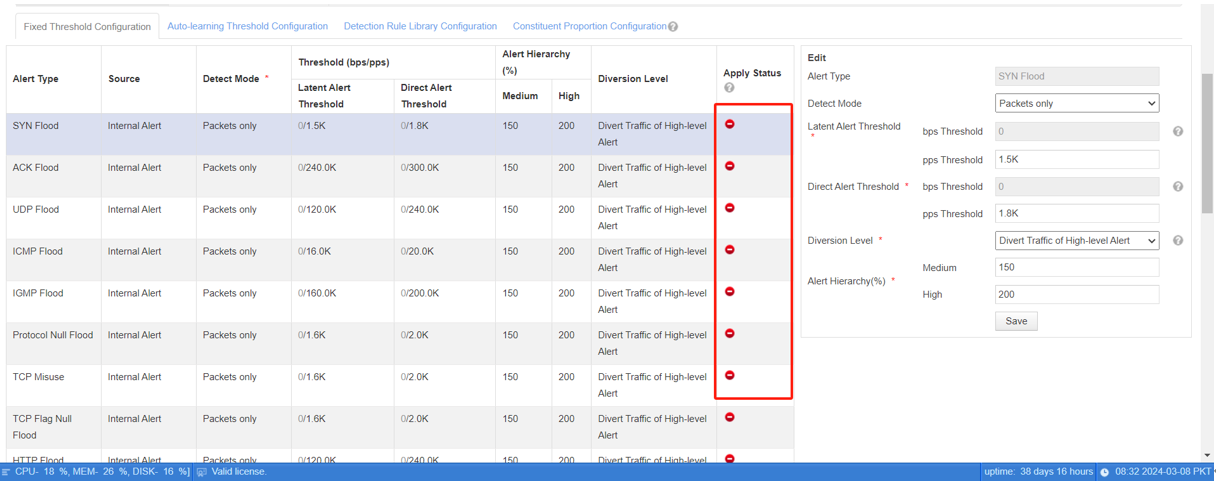
(1) If Apply Immediately is selected in step 2, the status  is shown on the Threshold Configuration page.
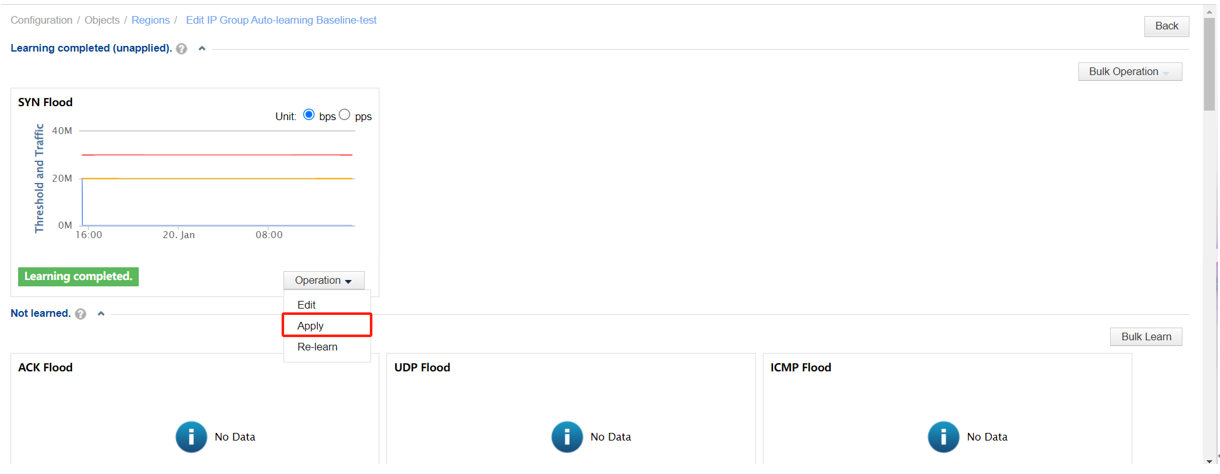
(2) If Not apply is selected in step 2, click Apply from the drop-down menu of Operation. Then, the learning result is applied for attack detection.
Question:
Q: Can NTA detection work normally when the threshold is learning?
A: Yes. During the learning process, a fixed threshold could be configured, and NTA will use this fixed value to detect traffic.  shows the fixed thresholds are used.