
Packet Forwarding Mode

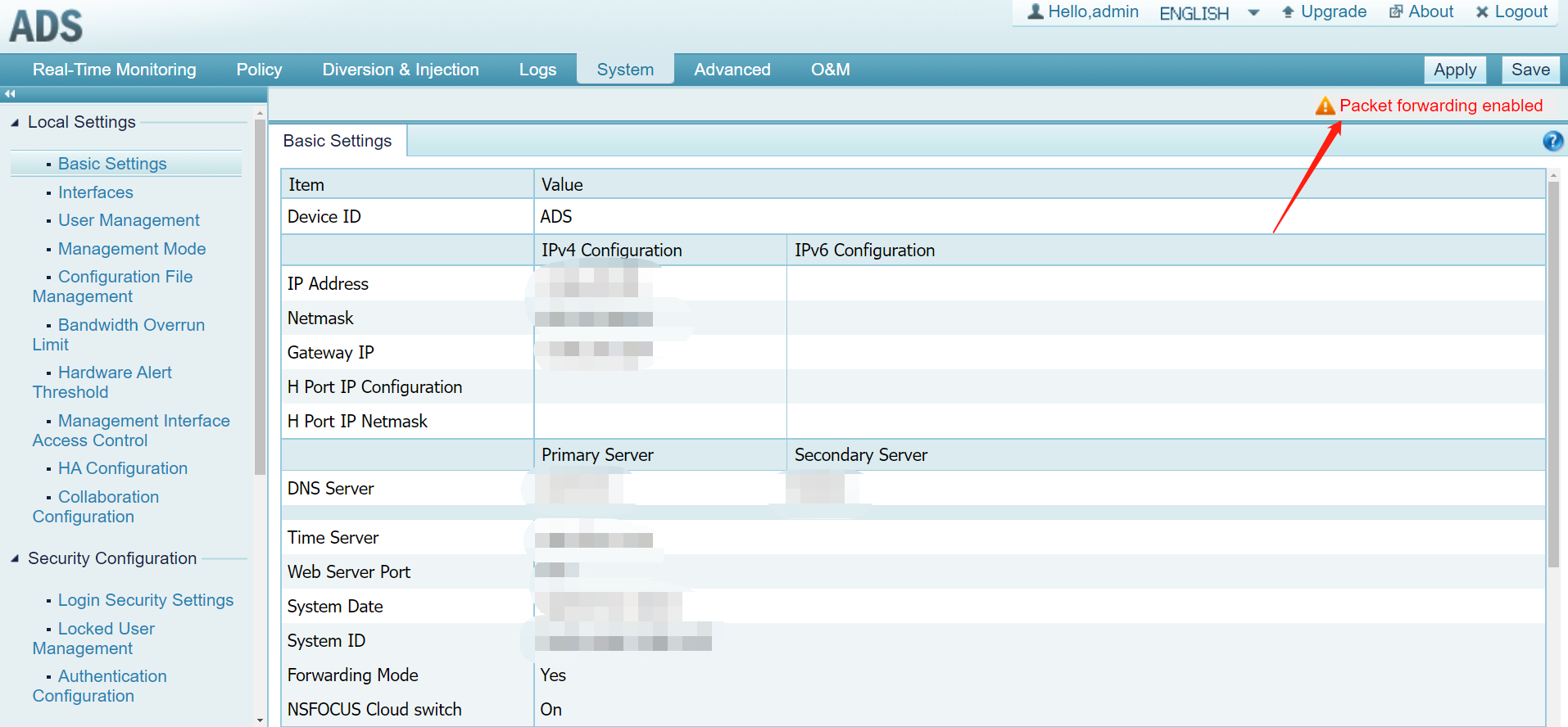
Network settings interface with packet forwarding alert.

The packet Forwarding Mode is mainly used for debugging network faults. If this function is enabled, it indicates that the ADS device will directly forward network packets without any checks. The Packet Forwarding Enable feature can be reminded through the ADS webpage if this function is enabled.
Red circular no entry sign with a white horizontal bar.

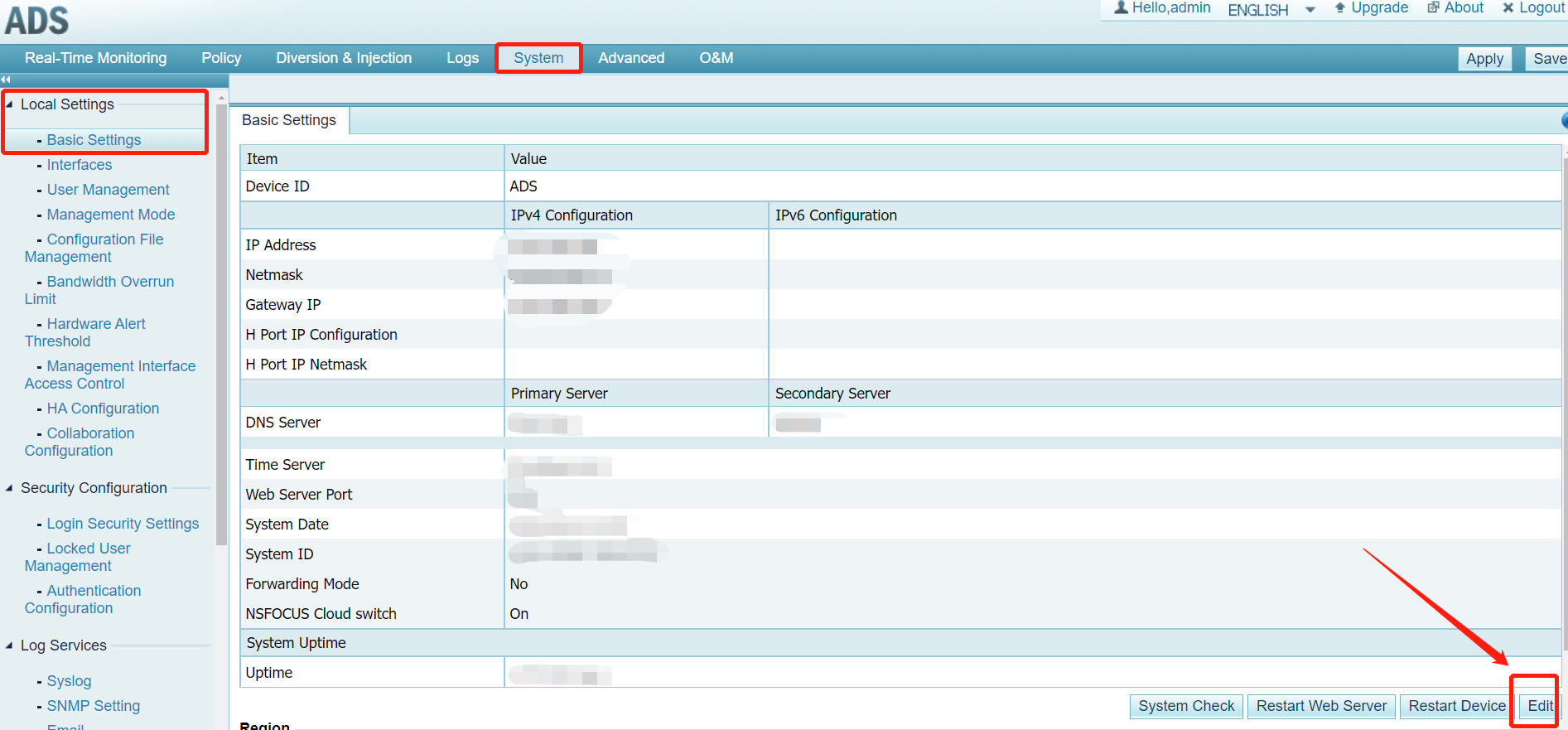
If you want to disable the packet forwarding mode. Choose System > Local Setting > Basic Settings > Click Edit.
Red circular no entry sign with a white horizontal bar.

Change the Forwarding Mode to “No“:

Red circular no entry sign with a white horizontal bar.

Then click “OK” to confirm the changes.

Red circular no entry sign with a white horizontal bar.
NSFOCUS
Privacy Overview

This website uses cookies so that we can provide you with the best user experience possible. Cookie information is stored in your browser and performs functions such as recognising you when you return to our website and helping our team to understand which sections of the website you find most interesting and useful.