
ADS R90F03 refactors the blacklist function. You can configure group-specific blacklist rules, and blacklists of different groups take effect independently. Besides, you can use a global blacklist to make related rules and blocked addresses take effect for all groups.
Blacklist Introduction on ADS
The blacklist function in ADS before R90F03 has the following features:
- Only global blacklists are available, without treating protection groups in a differentiated way.
- IP address ranges are not supported.
- The Lockout Period is unclearly defined, easily causing misunderstandings.
- An exported blacklist cannot be imported again.
ADS R90F03 and later refactor the blacklist function and introduces the following features:
- Blacklists are divided into global blacklists and group blacklists for fine-grained control.
- Both the manual blacklist and automatic blacklist are available.
- Manual blacklists accept IP address ranges. Only IP address ranges in CIDR format are supported, such as 1.2.3.0/24. IP address ranges expressed in a format like 1.2.3.0-1.2.3.255 are not supported.
- Lockout Period is renamed Auto Block. Besides, this field is added as a mandatory parameter for adding a blacklist entry manually and importing a manual blacklist file.
- Quick export and detailed export of blacklists are supported.
- An exported blacklist can be imported again.
- Automatic blacklists are divided into global automatic blacklists and group-specific automatic blacklists. IP addresses blocked according to global rules are added to global blacklists, and other blocked IP addresses are added to group-specific blacklists.
Global/Group and Manual/Automatic Blacklist
1. Global blacklist: valid for all groups.
Configuration path: Policy > Access Control > Blacklist.
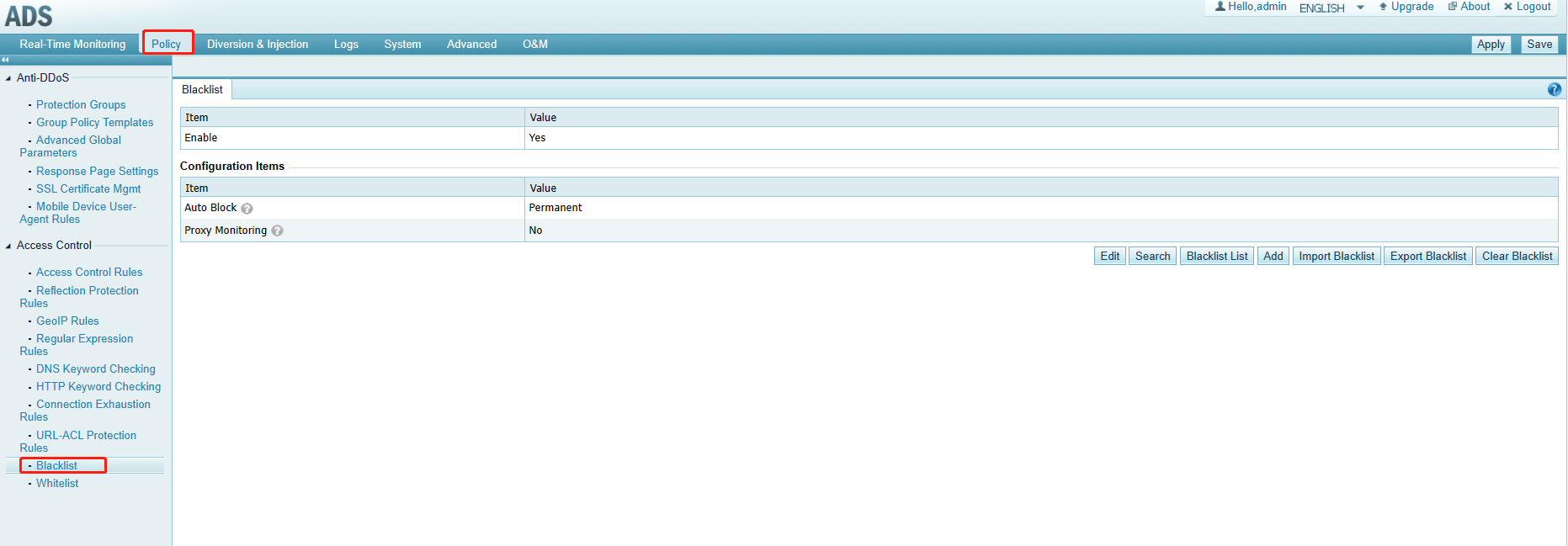
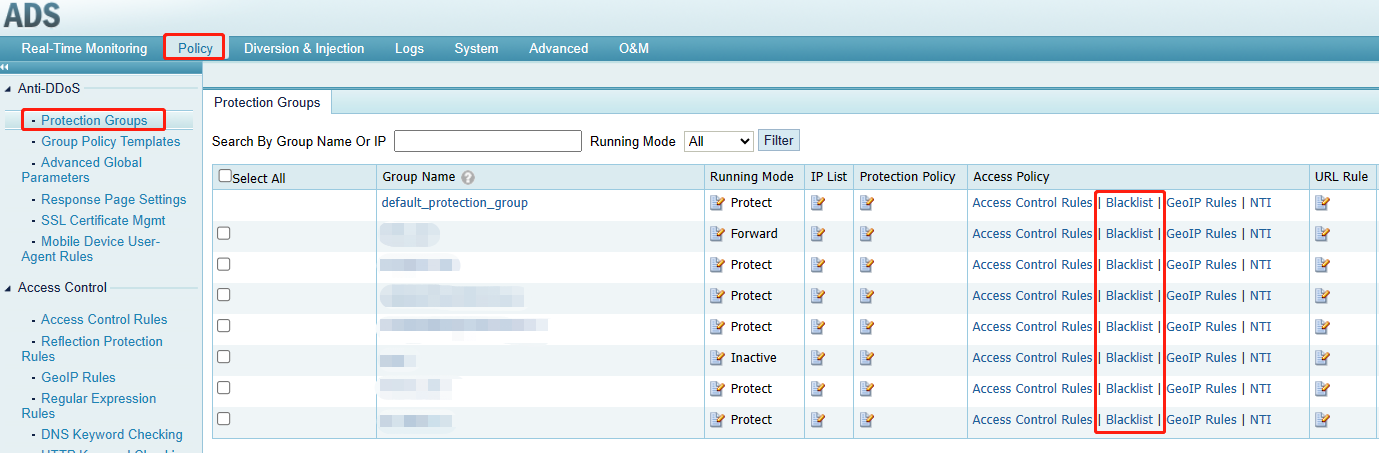
2. Group blacklist: valid for a specific group.
Configuration path: Policy > Anti-DDoS > Protection Groups.
3. Manual blacklist: IP addresses or IP files manually added.
4. Automatic blacklist: automatically added by the Drop and add to blacklist action of security policies.

